Dusty's World Border | New Features, Bug Fixes | v1.19.9
Dusty's World Border (Bedrock)
Server‑friendly. Feature‑packed. Menu‑driven.
A smart world border for Bedrock that feels like Java, then goes further. Built for realms, SMPs, and servers that want real control without the hassle.
Why it's built different
No cheats required: the full menu works without operator, command blocks, or Beta APIs. Perfect for achievement‑friendly worlds. Cheats and CLI are there if you want automation, never because you need them.
Movable borders: shrink, grow, or shift the center smoothly over time. Build a live shrinking arena, a slow‑closing event zone, or a border that follows your world as it grows.
Per‑dimension everything: independently enable, disable, or set particles‑only / knockback‑only modes for the Overworld, Nether, and End. Pick your ratio scaling (1:8, 8:1, or fully independent per dimension).
Fine‑grained control: separate horizontal/vertical knockback for players, mobs, or everyone, plus an optional damage toggle for PvP and minigame setups.
Admin delegation without permissions: manage who can access the menu straight from the GUI, no
/tagor cheats needed. The newest update adds an optional password (off by default) so trusted non‑admins can get in too, and you can lock it down further so regular players can't just type it in on their own.Low‑lag design: built to be lightweight and predictable, with a self‑test system that checks the addon's own health so issues get caught early instead of turning into a mystery crash.
Safe by default: smart teleport logic finds real safe ground when someone crosses the border, including building an emergency platform if the world doesn't have one.
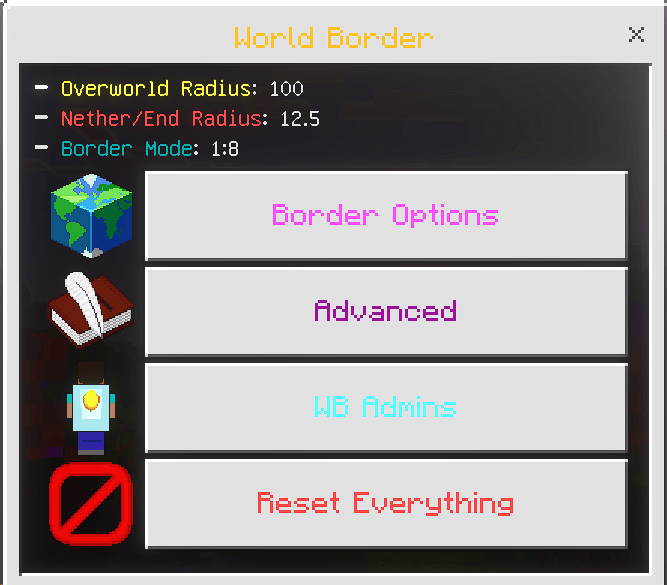
Open the menu
Command: /wbgui or /wbitem
Required: operator or the wbadmin tag (not case sensitive). An optional menu password can also be set by admins to let trusted players in without either.
Want more control? Go further with CLI
Everything in the menu is also available as tag‑based commands for command blocks and automation. Move the border over time, script events, or wire it into your own systems. Full command reference and setup walkthrough here: How to Use guide
Screenshots
Questions or feedback? Join the Discord, in the general chat or the dedicated How to Use channel: discord.gg/2kqvV5jWfp