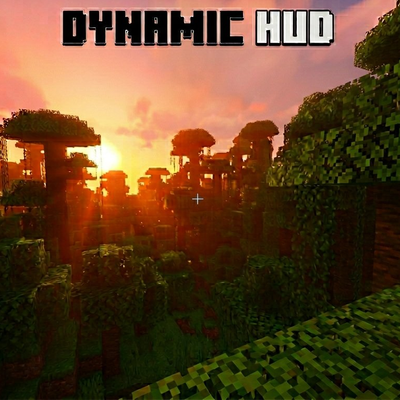
Dynamic HUD
Ever feel like your Minecraft screen is a little too cluttered? Dynamic HUD cleans things up by only showing HUD elements when you actually need them, giving you a more immersive experience where you can focus on the world around you instead of staring at bars and numbers. Every player gets to choose their own settings, so everyone plays the way they want.
Dynamic HUD is also great for OLED screens. With most of the HUD hidden during normal gameplay, there are fewer static elements burning into your display. The optional coordinates feature even shifts by a couple of pixels every few minutes, using the same technique that LG, Samsung, and Sony use in their built-in screen protection.
What does it do?
Your hearts, hunger, hotbar, armor, XP bar, and mount health all stay hidden until something happens that you'd want to see them for. Then they pop up, stick around for a few seconds, and fade away again. Less clutter, more immersion.
Here's how each one works:
🎒 Hotbar: Pops up when you scroll through your slots. Hides when you stop.
❤️ Hearts: Shows up when you take damage, heal, or hold a weapon. Stays on screen when your health gets really low so you always know when you're in danger. Also stays visible during poison, wither, fire, lava, and when you're about to drown.
🍗 Hunger: Appears when your hunger drops or when you're holding food. Stays visible when you're getting really hungry so you don't forget to eat!
🛡️ Armor: Shows when you're holding a weapon or when you take damage so you can check your protection when it matters most.
🐴 Mount Health: When you hop on a horse (or any rideable mob), their health pops up briefly. If they take damage, it shows again.
⭐ XP Level / Locator: Shows when you gain or lose a whole level, when you interact with an anvil, enchanting table, or grindstone, and while holding a Bottle o' Enchanting, Enchanted Book, or Lapis Lazuli. This also controls the player locator bar in multiplayer since they share the same spot.
🗺️ Coordinates: Each player can toggle their own coordinates without needing the global gamerule turned on for everyone. Your position shows up in the top-left corner and updates 5 times per second for smooth tracking. Pick from 7 colors to match your style: White, Light Gray, Dark Gray, Aqua, Green, Yellow, and Gold. Coordinates subtly shift by a couple of pixels every few minutes to help protect OLED screens from burn-in.
How do I change my settings?
You'll get a HUD Settings book automatically when you first join. You can also craft one, just put a Book on top of a Lapis Lazuli on a crafting table. Use the book and a menu pops up where you can set each element to:
- Vanilla: Always visible, just like normal Minecraft
- Dynamic: Only shows when it matters
- Always Off: Completely hidden
You can also pick your coordinate color, toggle whether holding Lapis shows the XP bar, and set how long things stay on screen (4 to 10 seconds). Every player's settings are saved individually, your choices don't affect anyone else on the server.
Don't have your book handy? You can also use the following commands (no cheats required):
/hud:menuto open settings/hud:coords on/offto toggle coordinates
Is it laggy?
Nope! Dynamic HUD is built to be as lightweight as possible. It uses game events instead of constantly checking things, and it only runs for players who have something set to Dynamic. If all your settings are on Vanilla, the addon does absolutely nothing, zero performance cost. No experimental toggles needed and achievements stay enabled!
What do I need?
- Minecraft Bedrock Edition v1.26.30 or newer
- Both the Behavior Pack and Resource Pack need to be active (turning on one will automatically enable the other)