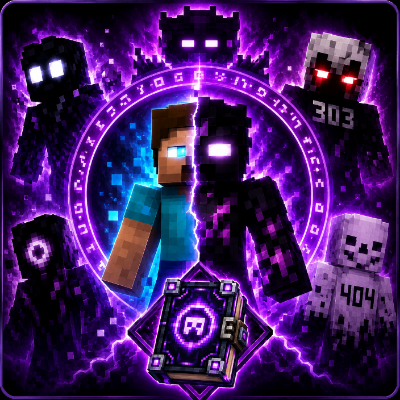
MorphX Premium
🌀 MorphX Premium
Become legendary Minecraft entities with MorphX Premium! Transform into famous Minecraft legends instantly using an easy-to-use Morph Menu. Every morph is already unlocked, so there's no need to kill mobs or complete challenges.
Simply craft the Morph Menu, open it, select your favorite morph, and instantly transform with epic lightning, particles, sounds, and unique abilities.
✨ Features
- 🌀 Morph Menu UI
- 👤 All Morphs Unlocked
- ⚡ Lightning Transformation Effect
- 🔥 Custom Transformation Particles
- 🎵 Immersive Sounds
- 💪 Unique Powers
- 📱 Mobile Support
- 💻 Windows Support
- 🎮 Console Support
- 🌍 Multiplayer Compatible
- ⚡ Optimized Performance
👹 Available Morphs
Current Morphs Included:
- 👁️ Herobrine
- 🌑 Null
- 😈 Entity 303
- ☠️ Entity 404
- 👑 Dreadlord
More morphs will be added in future updates.
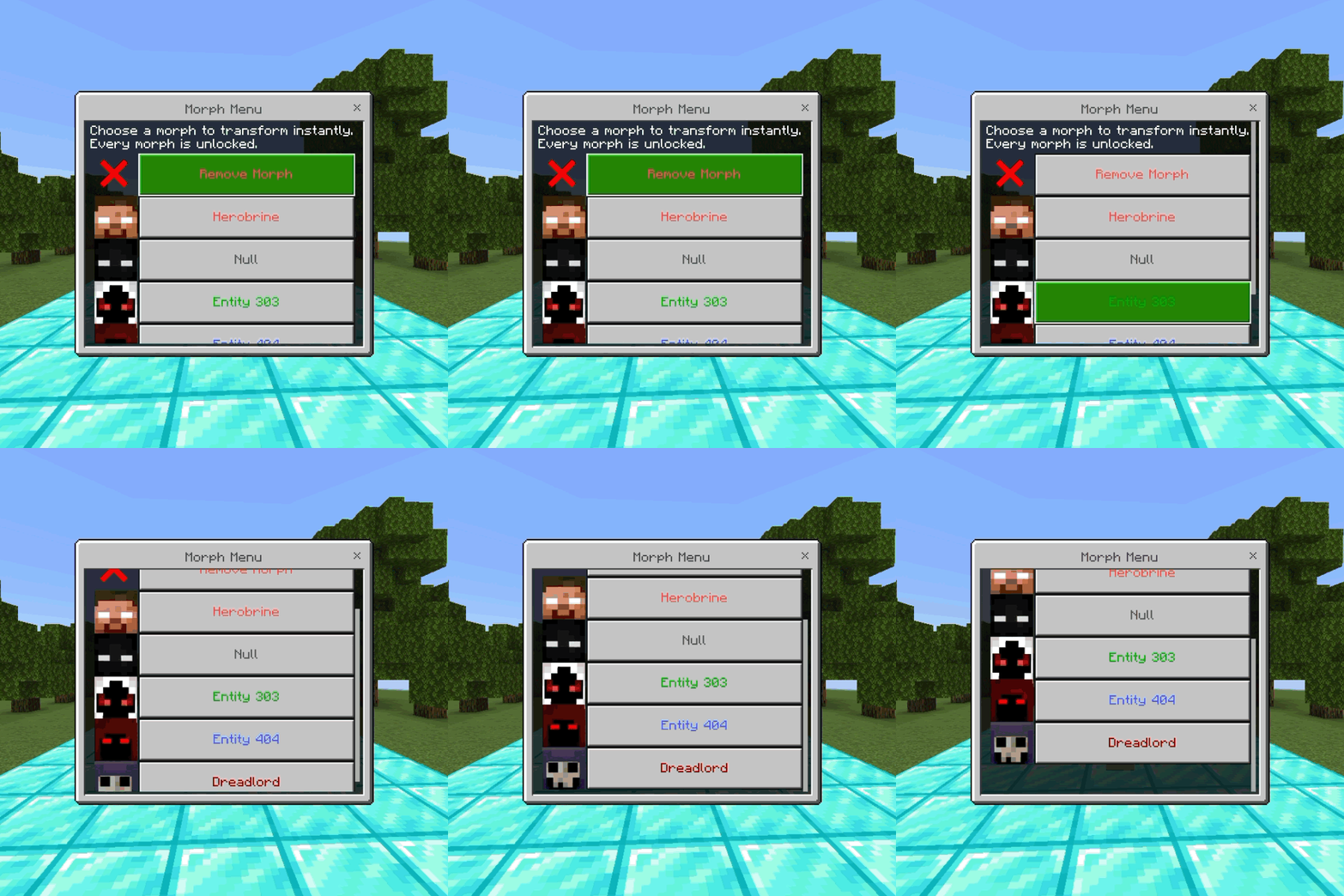
⚡ Transformation Animation
Selecting any morph instantly triggers an epic transformation.
The transformation includes:
- ⚡ Lightning Strike
- 🔥 Particle Effects
- 🎵 Transformation Sound
- ✨ Morph Activation
- 💪 Special Powers
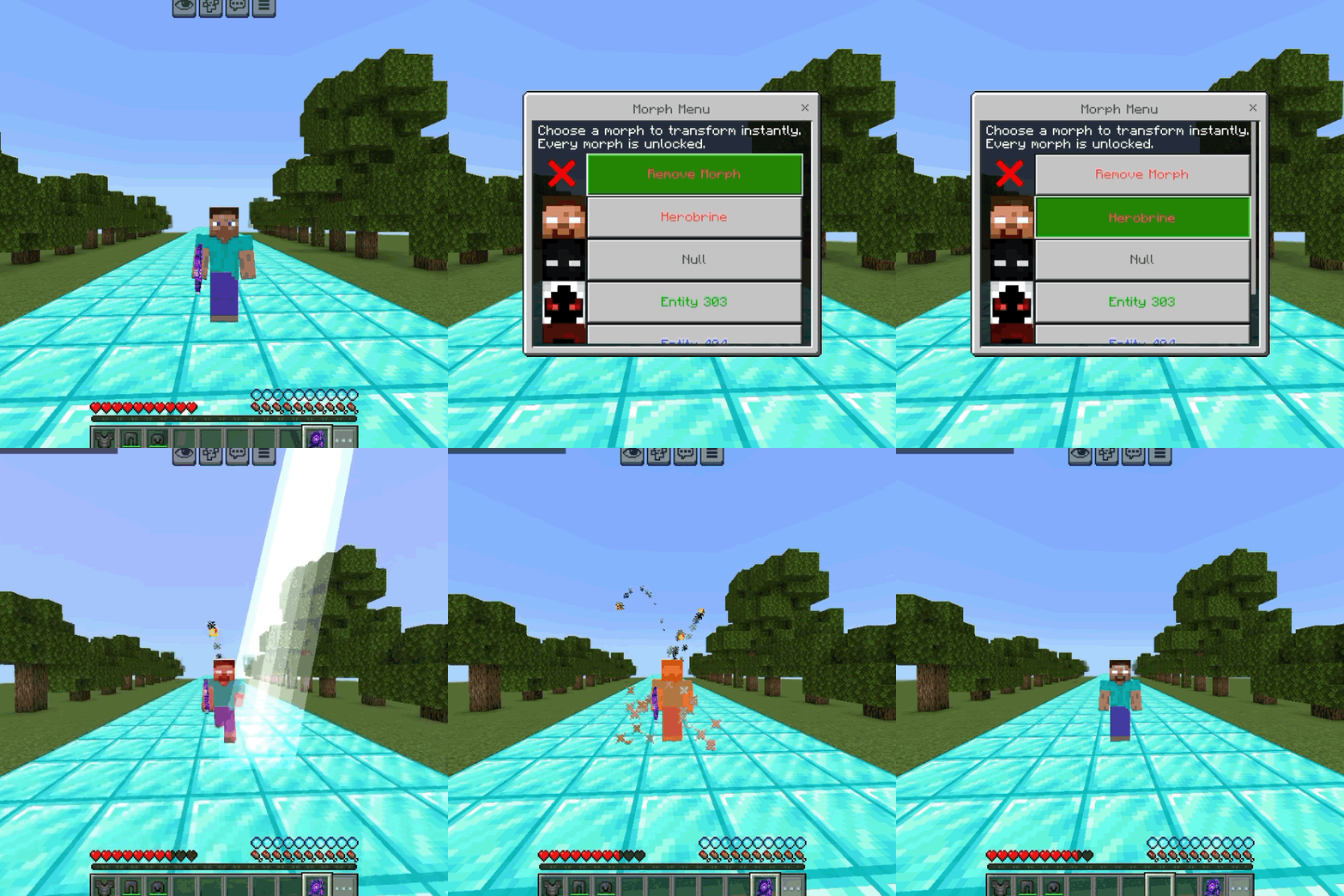
💪 Morph Powers
Every morph has unique abilities.
Example:
👁️ Herobrine
- Strength
- Speed
- Fire Resistance
- Night Vision
- Jump Boost
Future updates will introduce completely unique powers for every morph.
📖 How To Get Morph Menu
Craft the Morph Menu using the recipe below.
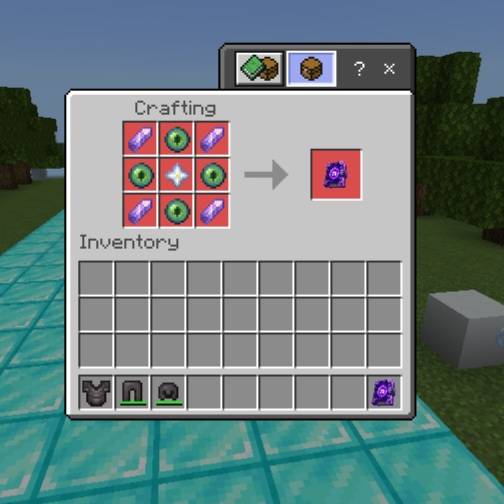
Crafting Recipe Screenshot
After crafting:
- Hold the Morph Menu.
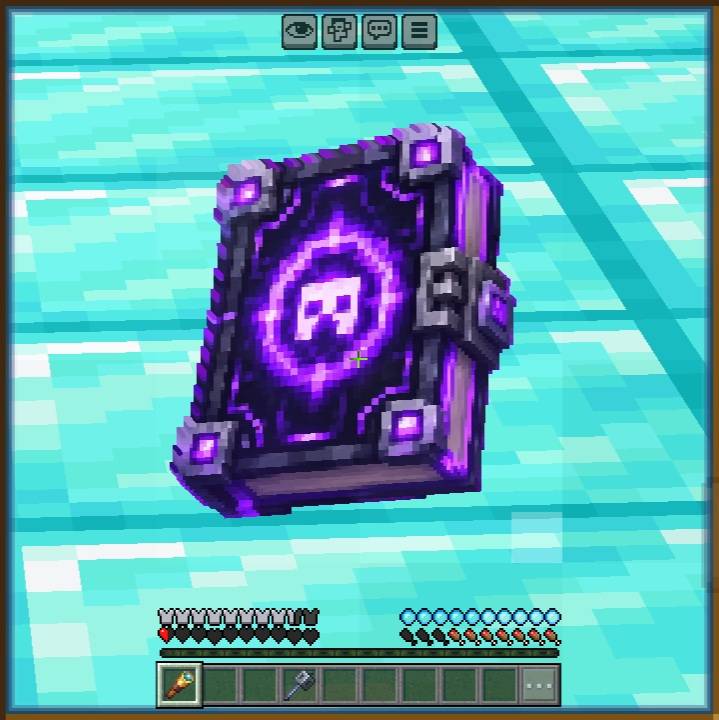
- Use the item.
- Morph Menu opens.
- Select any morph.
- Transformation begins instantly.
To return to normal:
Open the menu again and select Remove Morph.
🎮 How to Open the Morph Menu
Using the Morph Menu is simple on every supported platform.
📱 Mobile Players
- Hold the Morph Menu item.
- Tap the Use button on the right side of the screen.
- The Morph Menu will open instantly.
- Select your favorite morph and transform.
💻 PC Players
- Hold the Morph Menu item.
- Right-click while holding the item.
- The Morph Menu will appear.
- Choose any morph to begin your transformation.
🎮 Console Players
- Hold the Morph Menu item.
- Press the Use/Interact button (default LT on Xbox or L2 on PlayStation).
- The Morph Menu will open.
- Select your desired morph and enjoy your new powers.
🌍 Multiplayer
MorphX Premium fully supports multiplayer.
Players can transform independently without affecting other players.
Optimized for:
- Realms
- LAN
- Dedicated Servers
📦 Compatibility
✔ Survival
✔ Creative
✔ Multiplayer
✔ Realms
✔ Mobile
✔ Windows
✔ Console
✔ Latest Minecraft Bedrock Edition
❤️ Creator
Made by Kareo Gamerz
Thank you for downloading MorphX Premium!
More legendary morphs, transformation effects, abilities, and powerful entities will be added in future updates.
⭐ If you enjoy this addon, consider leaving a comment and sharing it with your friends!
📱 Installation Guide
- Download the addon.
- Open the
.mcaddonfile. - Minecraft will import automatically.
- Create or edit a world.
- Enable the Behavior Pack.
- Enable the Resource Pack.
- Turn on any required Experimental Features if the addon version requires them. And enable education Features to flying ability
- Enter your world and enjoy
📜 License
All Rights Reserved This addon was created by Kareo Gamerz.
You are not allowed to redistribute, modify, or reupload this addon on any other platform without the creator’s permission. You may, however, make videos or showcase this addon on YouTube or social media — please provide credit and a link to the original CurseForge or MCPEDL page.