
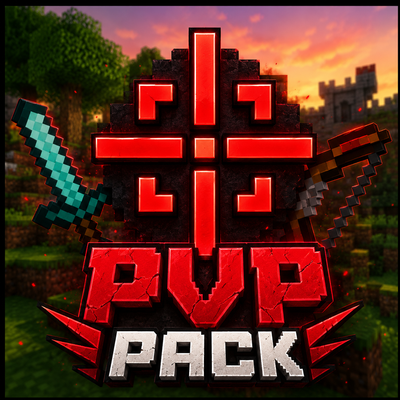
PVP Pack by gavti
✦ GAVTI'S PvP PACK ✦
A clean, competitive and feature-packed PvP experience for Minecraft Bedrock Edition.
◆ ABOUT THIS PACK
Gavti's PvP Pack is designed for players who want a cleaner screen, better combat information and a more responsive PvP experience. It combines a custom red crosshair, real-time combat statistics, mob health indicators, reduced particles and a cleaner item tooltip system in one complete pack.
The pack is suitable for survival worlds, PvP arenas, SMP servers, training maps and competitive gameplay. Every major feature is designed to stay simple, readable and useful during fast combat.
✦ MAIN FEATURES
➤ Custom Red Crosshair
The default Minecraft crosshair is replaced with a custom red PvP crosshair. Its clean shape makes aiming easier while keeping the center of the screen clearly visible.
The crosshair uses a separate normal and hit design. When you successfully hit an entity, the hit crosshair appears to give you instant visual confirmation.
➤ Hit Crosshair Indicator
A special red hit indicator appears when your attack connects with a target. This helps you understand exactly when your hit is registered, especially during fast combos or mobile PvP.
➤ Real CPS Counter
The pack displays your real CPS based on successful entity hits recorded during the most recent second.
CPS means Clicks Per Second. This value updates continuously on the action bar and helps you track your combat speed during fights.
➤ Combo Counter
The combo counter increases whenever you repeatedly damage the same target within a short time.
Your combo resets when the chain is broken, when too much time passes between hits, or when your opponent successfully hits you.
➤ Reach Indicator
The reach display estimates the distance between you and the entity at the moment your hit connects.
The value is shown with two decimal places and is adjusted to better represent practical combat distance instead of only measuring the center of both entities.
➤ Combat Statistics HUD
Your combat information is shown directly above the hotbar in a compact action-bar layout:
COMBO • REACH • CPS
The HUD updates continuously and stays compact so it does not cover important parts of the screen.
➤ Mob Health Indicator
Nearby non-player entities display their name and current health above their head.
The indicator shows both current health and maximum health in a simple format:
Entity Name
❤ Current Health / Maximum Health
This feature works with hostile mobs, passive mobs, neutral mobs, villagers and most other entities that use the standard Minecraft health component.
Health indicators are refreshed for entities within approximately 48 blocks of active players.
➤ Cleaner Item Tooltips
The item-name display has been adjusted to remove the dark background behind item text.
This creates a cleaner HUD and allows item names to appear directly on the screen without the large black tooltip box covering gameplay.
➤ Reduced and Hidden Particles
Many common Minecraft particles have been modified to reduce unnecessary visual effects during combat.
The pack includes adjustments for effects such as critical-hit particles, flames, smoke, explosions, potion particles, portals, enchantment particles, water effects, lava effects, totem particles, villager particles and more.
This helps reduce screen clutter and makes enemies easier to see during intense fights.
◆ HOW THE COMBAT HUD WORKS
Whenever you hit an entity, the pack records the successful hit and updates your CPS, combo and reach information.
CPS only counts recently registered entity hits. The combo system tracks repeated damage against the same target, while the reach value is calculated from the distance between the attacker and target.
The information is displayed through Minecraft's action bar, allowing the system to remain visible without creating a large custom menu.
◆ PACK REQUIREMENTS
This addon contains both a Resource Pack and a Behavior Pack. Both packs must be active in the world for every feature to work correctly.
The Resource Pack controls the custom crosshair, hit indicator, HUD changes, tooltip appearance and particle visuals.
The Behavior Pack controls the CPS counter, combo counter, reach calculation and mob health indicator.
The pack is configured for Minecraft Bedrock Edition 1.21.100 and newer compatible versions.
◆ INSTALLATION
1. Download and open the .mcaddon file using Minecraft.
2. Wait for both the Resource Pack and Behavior Pack to finish importing.
3. Open your world settings.
4. Activate Gavti's PvP Pack under Resource Packs.
5. Activate Gavti's PvP Pack BP under Behavior Packs.
6. Start or reload the world and test the features by attacking a mob or another player.
◆ IMPORTANT NOTES
The reach value is an estimated combat measurement and may not match every server's internal reach calculations.
CPS is calculated from registered entity hits and is not a raw touchscreen or mouse-click counter.
Mob health indicators change entity name tags. Packs or addons that also modify entity name tags may conflict with this feature.
Custom HUD packs, crosshair packs, particle packs or tooltip-modifying resource packs may overwrite some parts of this pack depending on resource-pack priority.
For the best result, place Gavti's PvP Pack above conflicting UI and texture packs in the active resource-pack list.
◆ DISCLAIMER
Some promotional images, thumbnails, icons and visual assets associated with this pack may be AI-enhanced for improved presentation and visual quality.
AI enhancement is used only for presentation purposes and does not misrepresent the actual gameplay features included in the addon.
Minecraft is a trademark of Mojang Studios and Microsoft. This project is an independent community-made addon and is not officially affiliated with, sponsored by or endorsed by Mojang Studios or Microsoft.
◆ COPYRIGHT NOTICE
© 2026 Gavti. All Rights Reserved.
Unauthorized reuploading, redistribution, resale, modification or claiming ownership of this pack is strictly prohibited without direct permission from Gavti.
Original Pack Created by Gavti
