
Bosya's Selection box
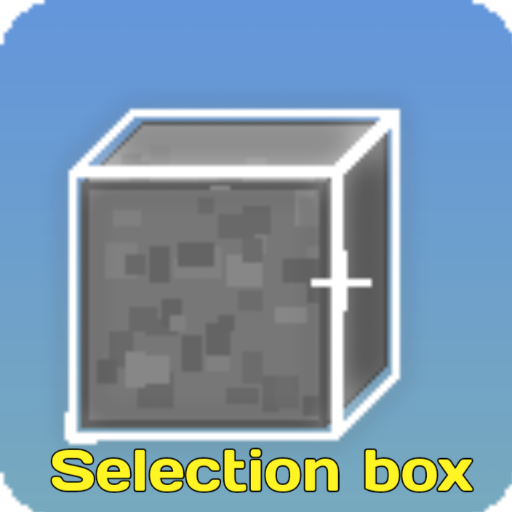
White colored selection box
20,385
Bosya's Selection Box
Selection Box is a simple resource pack that changes the default black selection box to a clean white outline, making it much easier to see which block you are aiming at in various environments.
✨ Key Features
- ⬜ White Outline: Replaces the default black outline with a clean white selection box.
- 📦 Two Subpack Variants:
- White Outline: Normal mode, follows depth (remains hidden behind blocks).
- Full: X-Ray mode, always visible through blocks.
- 🐉 RenderDragon Compatible: Works seamlessly on the RenderDragon engine without requiring custom shaders.
⚙️ How to Apply
- Download the
.mcpackfile. - Open the file to import it into Minecraft.
- Go to Settings → Global Resources and activate the pack.
- Tap the Gear Icon (⚙️) on the pack to select your desired subpack variant.
📜 Rules & Permissions:
You Are Allowed To:
- ✅ Showcase my work in videos/streams if you give proper credit (e.g., link to the official CurseForge page).
- ✅ Edit files for personal use only.
You Are Not Allowed To:
- ❌ Distribute through monetized links (AdFly, Linkvertise, dll.).
- ❌ Re-upload, edit, or re-share my projects on other websites or third-party apps without permission.
- ❌ Use direct download links (Mediafire, Google Drive, dll.) when sharing.
━━━━━━━━━━━━━━━━━━━━━━━━━━━━━━━━━━━━━━━━
🌐 CurseForge: bosya's Projects • 📥 MCPEDL: bosya's Profile
💬 Telegram: @bosya_craft Group • ☕ Support: Donate on Ko-fi
━━━━━━━━━━━━━━━━━━━━━━━━━━━━━━━━━━━━━━━━
Changelog:None
More versions

All Rights Reserved
08/03/2026
23:55 15/07