
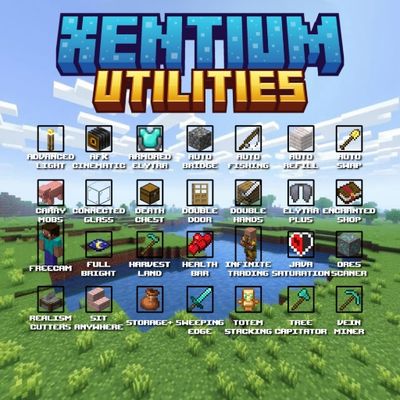
Xentium Utilities (Achievement Friendly)
Created by VinzzLynMC
I come from Indonesia🇮🇩
Click Here New Showcase
📖 How to Use
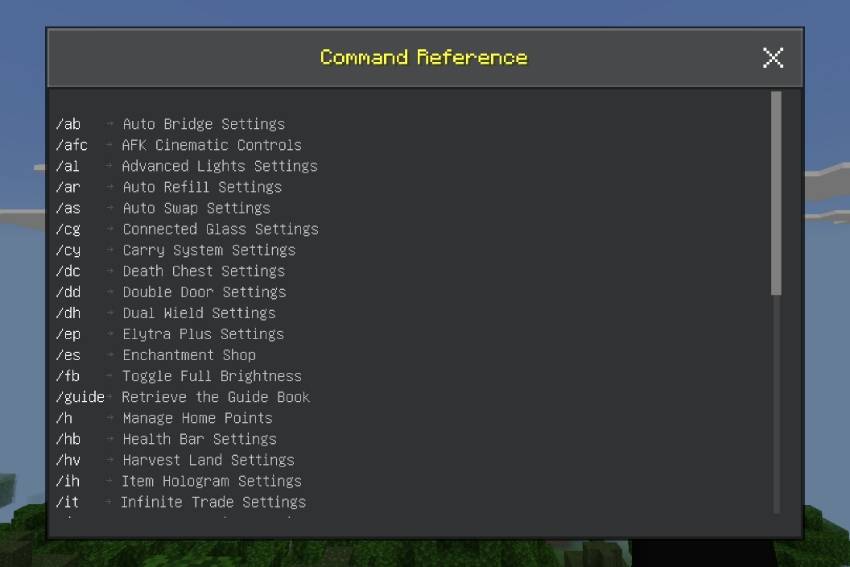
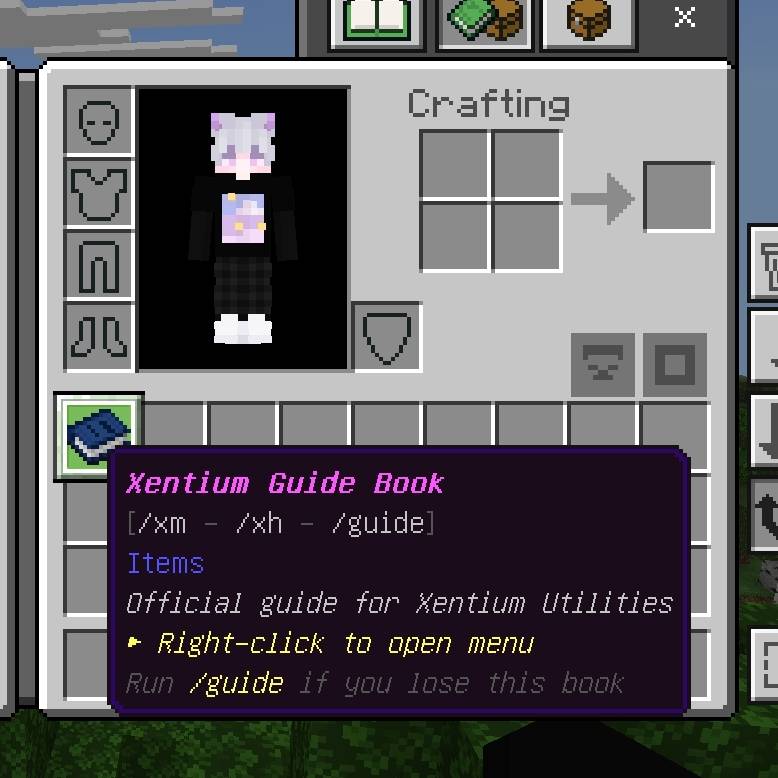
If you don't know the command list, you can type /xh or /xhelp to open this command list.
Open Menu:
- Type this command in chat to open the settings menu:
- /menu
- or
- /xm
- If you use "/xentium:" then it won't work because it requires cheats so you only need /menu and /xm to open it
Open Warps:
- You can open the warp list if there are already Warps filled in the Lodestone by typing
- /warp
- or
- /warps
- If you use "/xentium:" then it won't work because it requires cheats so you only need /warp and /warps to open it
Short Changelog
If it doesn't reach 10k downloads on CurseForge I will close this addon
Xentium Utilities v1.4.5
New Feature
- Infinite Vault
- Items Beam
- Sword Blocking
Improve existing features
Sorry for any inconvenience if there are errors in the previous version because I worked on this alone. I hope players can report errors or bugs in this add-on. I will handle them later.
Storage+:
- Fix when player takes many items and inventory is not enough unreasonable items are returned to storage
System RPG:
- Fixed Lv stat resetting after leveling up
Veinminer:
- Repairing the sculk that was destroyed
Veinminer:
- Improved the UI to make it simpler for players to set up.
- Fixed Fortune not working when destroying ore
- Repairing the sculk that was destroyed
- Fixed when using a pickaxe with the silk touch enchant and destroying a block but not destroying the original block.
Xentium Utilities v1.4.2
New Feature
- Add settings to manage modules that can be set with /tag @s add admin
Improve existing features
Sorry for any inconvenience if there are errors in the previous version because I worked on this alone. I hope players can report errors or bugs in this add-on. I will handle them later.
Carry System:
- Fixed an error when a player was carrying a mob and teleporting using a lodeston
Smart Wolf:
- Fixed a script error that resulted in wolf being unresponsive.
Xentium Utilities v1.4.0
New Feature
- Armored Elytra
- Auto Fishing
- FreeCam
- Smart Wolf
Improve existing features
Sorry for any inconvenience if there are errors in the previous version because I worked on this alone. I hope players can report errors or bugs in this add-on. I will handle them later.
Main Menu:
- Adding contribution list and Command List
- Add Prioritize Enabled Features
- And fixed a minor issue in the menu
Afk Cinematic:
- Fixed error that can't set afk time
Elytra Plus:
- Added Armored Elytra support
Enchanted Shop:
- Changing sho to Enchanting Table
- Open UI if: Sneak + (Empty Hands / Book) OR Not Sneak but holding Book
- Empty hands without sneak → Open original UI of Enchanting Table
- Holding another item/block → Can equip/normal without
Healthbar:
- Fixed when turning off Healthbar the health status still doesn't disappear
Ore Scanner:
- Added 6 new Particles
- Fixed diagonal ore scans
Storage+:
- Added Inventory Check menu: allows players to select items to store
- Provides Totem Stack support
Sweeping Edge:
- Added Critical hit support
- Critical hit change 50%-100%
Vein Miner:
- Now you can use VeinMiner and Tunnel simultaneously.
🏆 Achievement Friendly
This addon is 100% Achievement Friendly!
✅ It does NOT require enabling cheats.
✅ All achievements and advancements will still work normally!

Xentium Utilities
Xentium Utilities is a comprehensive collection of features designed to improve your survival gameplay. It brings many useful mechanics and quality of life improvements that work smoothly together.
AFK Cinematic v1.3.5
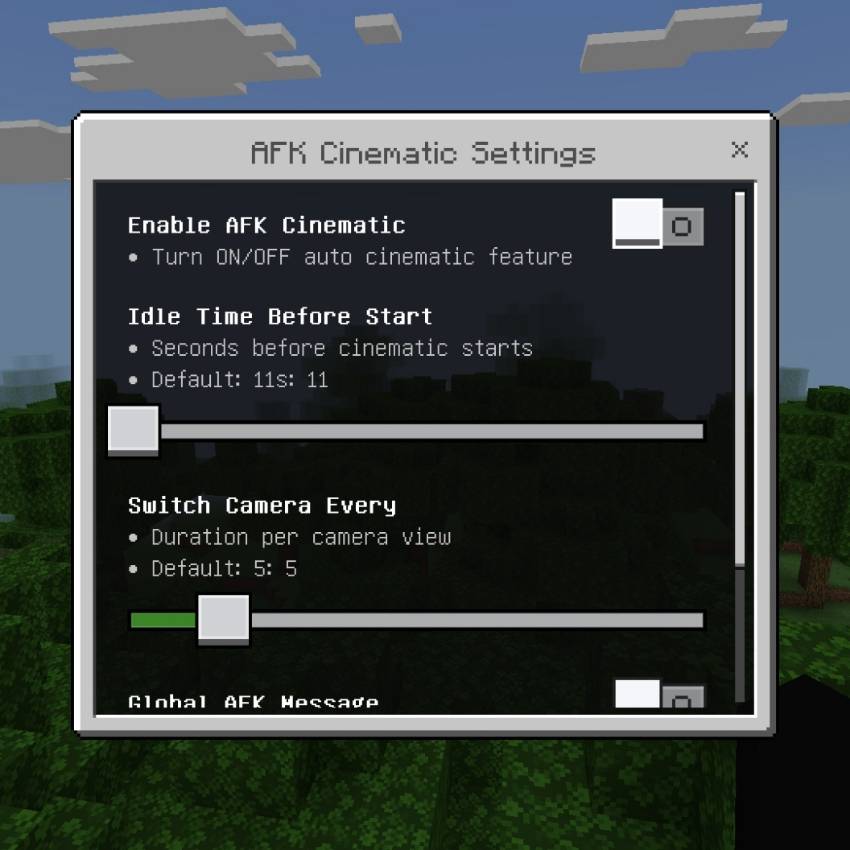

Turn your idle time into stunning automatic camera shots! Sit back and watch beautiful cinematic views while you’re away from keyboard.
Auto‑Start Cinematics
- Activates automatically when you stay still for a set time
- Countdown warning before switching to cinematic mode
- Smooth transition — no jarring camera jumps
Massive Shot Library
- 50+ unique camera angles: hero, low, high, orbit, zoom, rise, pullback, sky, water, and more
- Smart randomization so every session looks different
- Automatic collision avoidance — never goes through walls or blocks
- Adjusts height and distance for perfect framing
Immersive Experience
- Plays relaxing background music when AFK
- Smooth FOV change for cinematic feel
- Hides HUD for clean recording or viewing
- Restores everything perfectly when you return
Full Customization
- Set idle wait time: 5 – 600 seconds
- Choose how long each camera view stays: 3 – 15 seconds
- Toggle global AFK return messages for all players
Safe & Reliable
- Instantly exits cinematic the moment you move or look around
- Works across all dimensions
- Fully compatible with survival and multiplayer
- No conflicts with other Xentium modules
Capture your world from every amazing angle — even while you rest! 🎬✨🌍
Advanced Lights
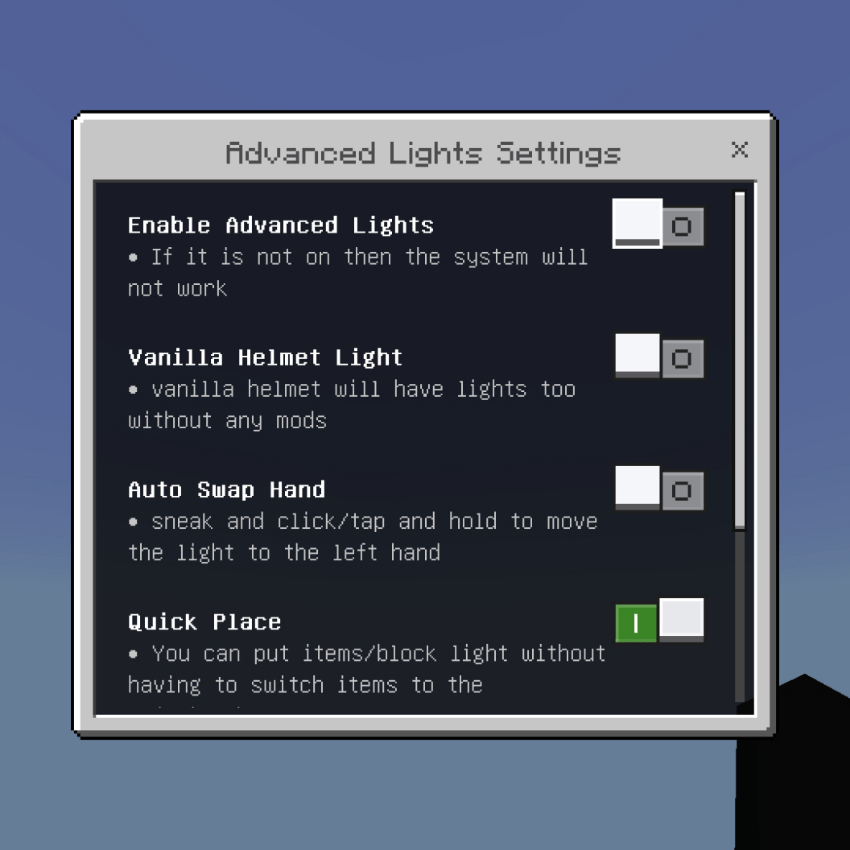
This system brings dynamic lighting to your world. Any light source you hold in your hand or wear on your head will emit light around you automatically. It follows your movement smoothly, so you can explore dark caves or buildings without needing to place torches everywhere.
Dynamic Light
- Simply hold any light item (Torch, Lantern, Glowstone, etc.) and it will light up the area around you automatically. The light moves with you.
Vanilla Helmet Light
- Turn this ON in settings to make any armor helmet glow like a flashlight. Works with Leather, Chain, Iron, Gold, Diamond, Netherite, and Turtle Shell. Your hands stay free for tools!
Auto Swap Hand
- Enable this feature. While sneaking and not looking at any block, tap/click use button. Your light item will instantly move to your off-hand so you can fight or build while still having light.
Quick Place
- Put a light block in your off-hand. Hold any tool or item in your main hand, then right-click on a block. The light will be placed instantly without switching items! Very fast and convenient.
Ground Item Light
- When you drop light items on the ground, they will stay glowing until you pick them up. Makes it easy to find your items in the dark.
Supported Light Sources:
- Torches: Normal, Soul, Copper, Redstone.
- Blocks: Lantern, Glowstone, Shroomlight, Sea Lantern, End Rod, All Froglights, Magma Block, Campfire, etc.
- Candles: All 16 colors.
- Items: Lava Bucket, Blaze Rod/Powder, Glow Berries, Glow Ink Sac, Respawn Anchor, Crying Obsidian, and more!
Armored Elytra v1.4.0
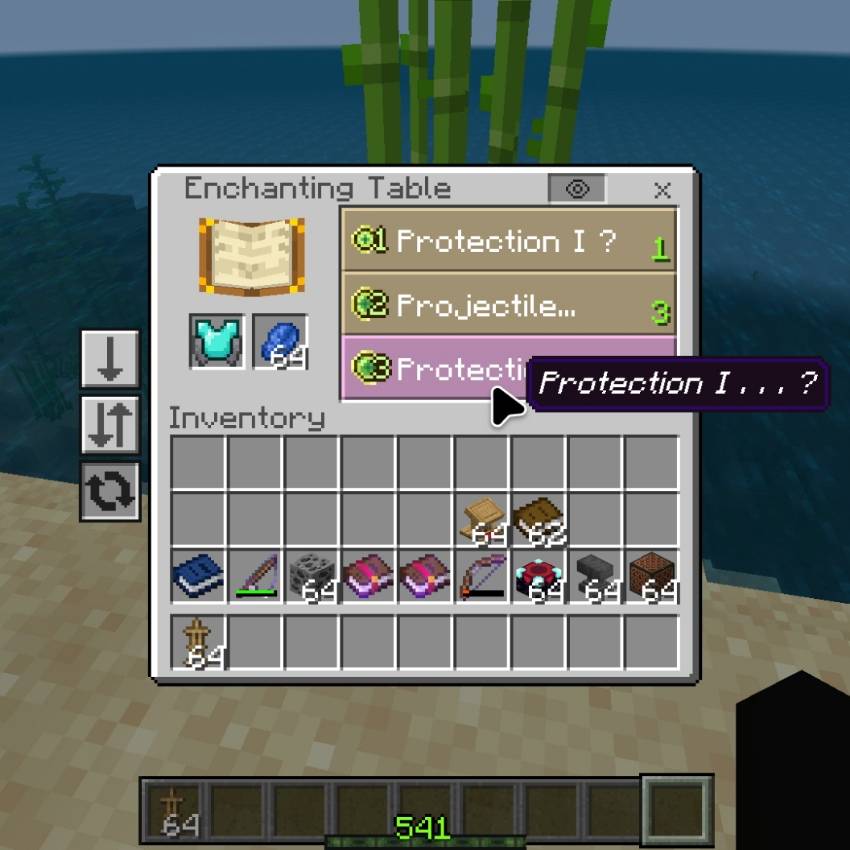
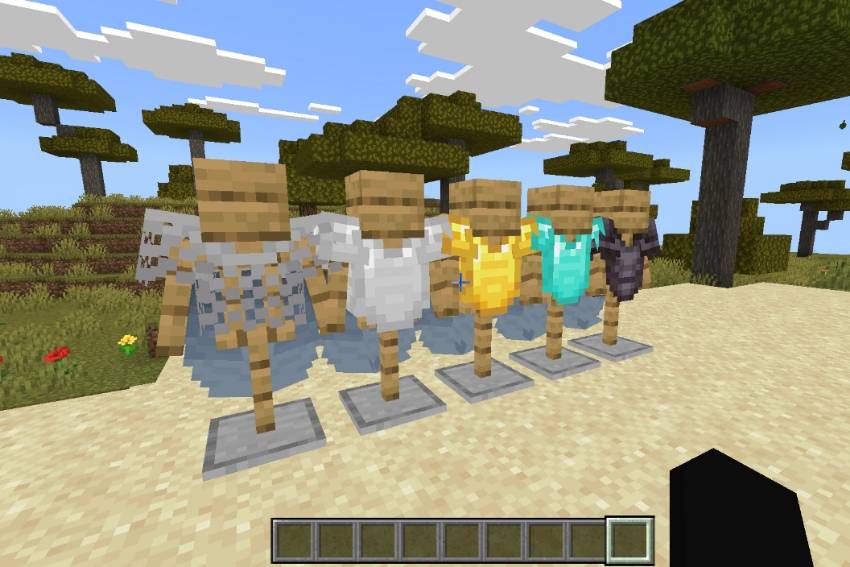
Why choose between flight and protection? Get both at once! Combine any chestplate with Elytra into one powerful piece — soar through the skies without ever giving up your defense.
Flight + Full Armor
- Craft Armored Elytra using Chainmail, Iron, Gold, Diamond, or Netherite Chestplate + Elytra
- Keeps the exact armor value of your chestplate
- Enjoy full protection while flying across your world
- Leather armor is currently not supported
Smart Enchant & Durability
- Fully supports all armor enchantments: Protection, Thorns, Unbreaking, Mending, and more
- Flight properly consumes durability — balanced flight time per armor tier
- Netherite lasts longest; Unbreaking significantly extends flight duration
- Enchantments stay preserved perfectly when switching modes
Simple & Safe Crafting
- Combine items in a normal Crafting Table
- Tip: Enchant your Armored Elytra after crafting — pre‑enchanted chestplates will lose their bonuses
- Works seamlessly with all vanilla mechanics
Maximum Compatibility
- Built with pure scripting — no player.json edits
- Works alongside almost every other add‑on, resource pack, and armor mod
- Automatically uses your installed texture packs
- Requires Beta APIs enabled in world settings
Quick Notes:
- While on ground: Shows your full armor + wings
- While flying: Armor texture temporarily hides — all stats and effects still work fully
- Always take off from at least 2 blocks high for smooth activation
- No cheats needed — fully survival‑friendly and achievement‑compatible
Upgrade your exploration — fly safe, fly protected! 🛡️🪂⚡
Auto Bridge v1.1.1
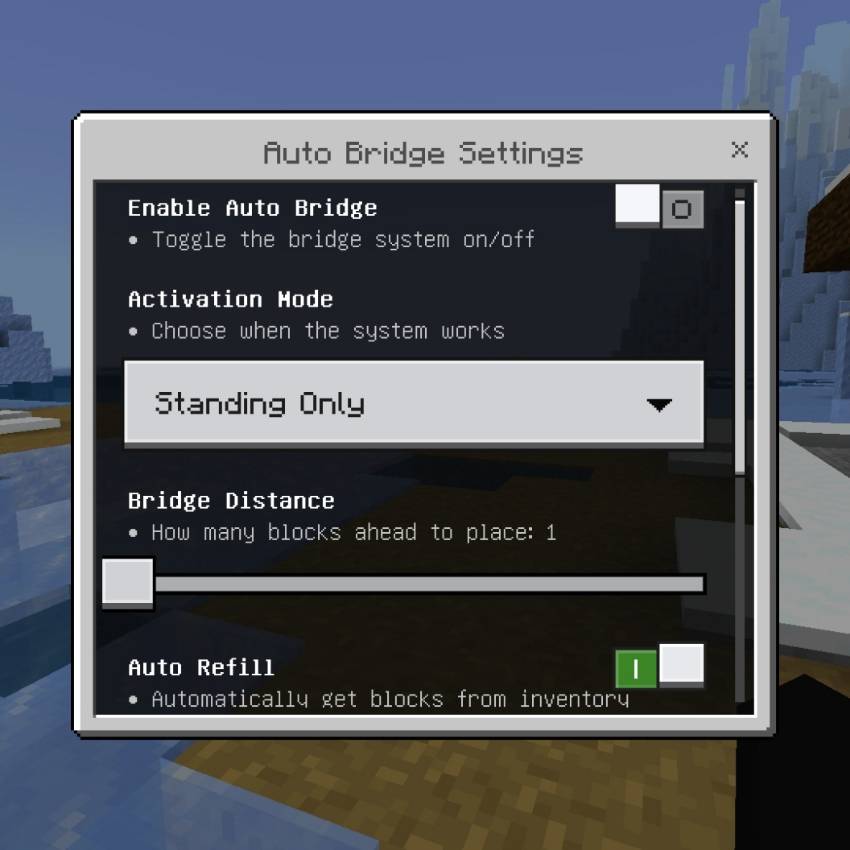
Build bridges instantly while walking! This system automatically places blocks in front of you, making it super easy to cross gaps, lava lakes, or build long paths without stopping.
How it Works:
- Just hold any solid block in your hand and walk forward.
- Blocks will be placed automatically right in front of your feet.
- Works perfectly for speed bridging and normal building!
Activation Modes:
- Standing Mode: Works automatically while you are walking normally.
- Sneak Mode: Only works when you are sneaking/crouching (safer for precision).
Smart Placement:
- Place up to 3 blocks ahead at once.
- Automatically replaces grass, flowers, and small plants to make a clean bridge.
- Will not place blocks on invalid things like torches, rails, or doors.
Auto Refill:
- When your stack runs out, it will automatically take more blocks from your inventory!
- Never run out of blocks in the middle of bridging again.
Emergency Stop:
- If you run out of blocks, the system will stop you instantly so you don't fall into the void or lava!
Visual Effects:
- Cool particles appear where blocks are placed for satisfying visuals.
Settings You Can Adjust:
- Enable/Disable: Turn the system ON or OFF.
- Activation Mode: Choose between Standing or Sneaking.
- Bridge Distance: How many blocks ahead to place (1, 2, or 3).
- Auto Refill: Automatically take blocks from inventory.
- Replace Plants: Remove grass and flowers automatically.
- Emergency Stop: Stop moving when out of blocks.
- Show Particles: Toggle visual effects.
Build faster and safer than ever before! 🌉✨🚀
Auto Fishing v1.4.0
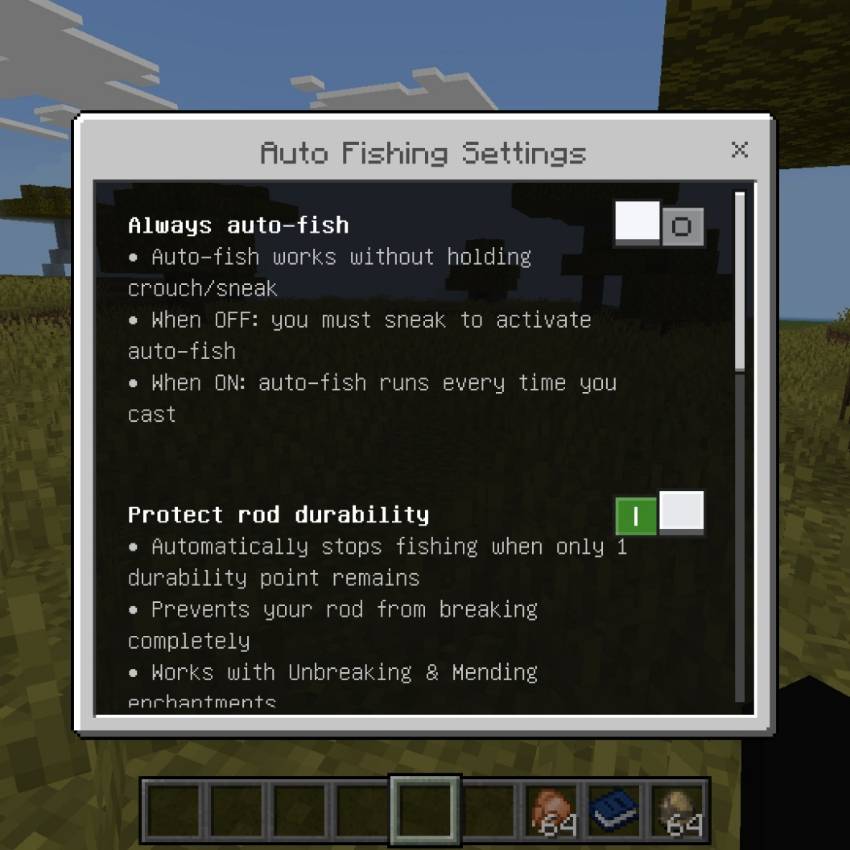
Sit back, relax, and let the mod do all the work! Fully automatic fishing with smart protection, auto‑replace rods, and vanilla‑accurate loot — all while keeping your fishing rod safe!
Fully Automated Fishing
- Automatically detects bites, reels in, and recasts instantly
- Sneak‑Trigger Mode: Only runs when you hold sneak — no accidental fishing
- Always‑On Mode: Auto‑fish activates every time you cast, no sneak required
- Real bite detection — no hacks or instant catches
Smart Rod Protection
- Durability Guard: Automatically stops fishing before your rod breaks completely
- Respects Unbreaking and Mending enchantments perfectly
- Shows exact remaining durability and warns you when low
- Auto‑Replace: Swaps to a fresh fishing rod from your inventory automatically
- Seamless swap — keeps fishing without stopping
Loot & Drop Control
- Vanilla‑Accurate Loot Table: Fish, treasure, and junk follow official rules
- Fully supports Luck of the Sea enchantment
- Jungle Loot Option: Force jungle‑exclusive drops anywhere you want
- Loot at Player: All items spawn directly at your feet — no swimming to collect
- Stable Bobber: Reduces sinking so bites register faster and more reliably
Easy Configuration
- Open settings instantly by naming a paper XM Settings
- Toggle every feature on/off individually
- All settings saved per player
- Works perfectly in survival — achievement‑friendly, no cheats needed
Fully Compatible
- Supports all fishing rod enchantments
- Works with all biomes and water types
- No changes to vanilla mechanics — just automation
- Seamless part of Xentium Utilities
Catch more fish, treasure, and XP — without ever clicking again! 🎣🐟✨
Auto Refill v1.3.5
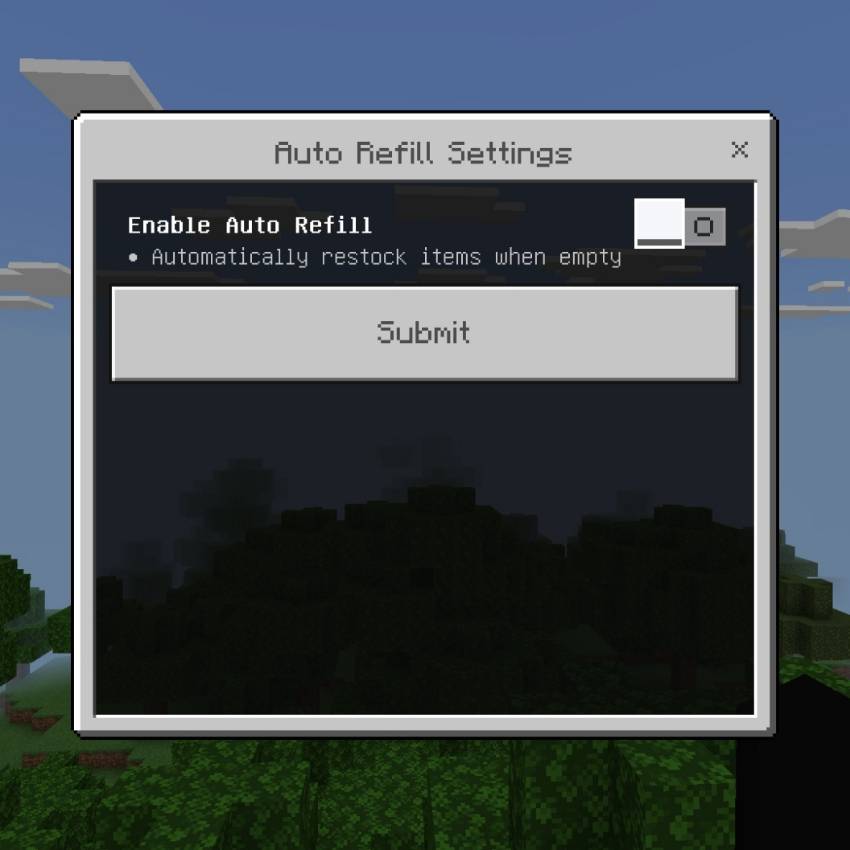
Never run out of items mid‑mining, fighting, or building! Automatically restock the same item directly into your hand the moment your stack runs empty.
Instant Restock
- Immediately replaces empty hands with the exact same item from your inventory
- Works with blocks, tools, foods, projectiles, and every stackable item
- No manual swapping or searching through slots
Smart Matching
- Only replaces with identical item type — no accidental wrong swaps
- Takes items from anywhere in your inventory
- Seamless, zero‑delay transition
Clear Feedback
- Soft pop sound confirms successful refill
- Action bar shows exactly what item was restocked
- Unobtrusive — never blocks your view
Simple Setup
- One master toggle to turn the feature on or off
- Works perfectly in survival, creative, and multiplayer
- Fully compatible with all other Xentium Utilities modules
Stay focused on your task — your inventory handles the rest! 🛠️📦✨
Auto Swap v1.3.5
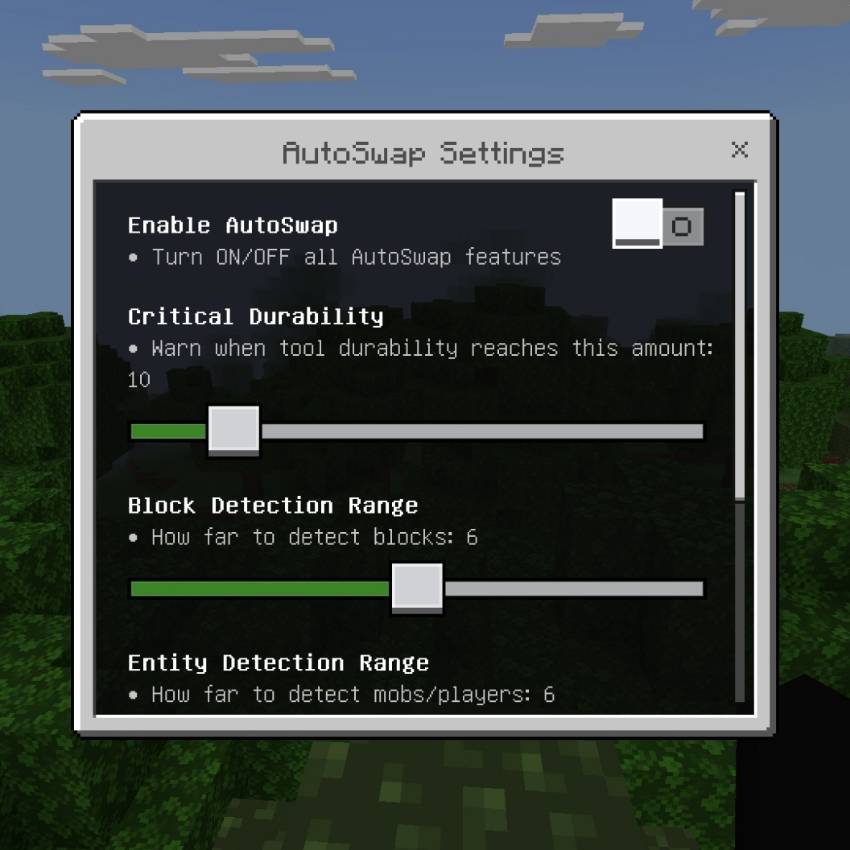
The ultimate smart inventory assistant — automatically equips the right tool, item, or gear exactly when you need it! No more clicking through slots mid‑action.
Smart Tool Matching
- Instantly switches to the perfect tool for whatever block you’re looking at
- Prioritizes swords, axes, pickaxes, shovels, hoes, shears, and more
- Skips damaged tools automatically — only uses ones with enough durability left
- Supports every vanilla block type and special tags
Combat & Survival Auto‑Equip
- Auto‑Weapon: Swaps to your best weapon the moment you look at a mob or player
- Auto‑Totem: Equips totem to your offhand when your health drops below your set threshold
- Auto‑Elytra: Automatically puts on elytra when falling fast enough
- Auto‑Armor: Equips missing armor pieces instantly from your inventory
- Fall Protection: Swaps to water bucket, slime block, hay bale, or wind charge when you take fall damage
Building & Utility
- Auto‑Restock: Immediately refills the same block type after placing the last one
- Sneak Swap: Hold sneak to quickly equip torches, lanterns, or glow blocks — release to go back to your previous item
- All swaps happen instantly with zero delay
Safety & Alerts
- Durability Warnings: Notifies you clearly when tools or armor are close to breaking
- Customize warning threshold from 1 to 50 uses remaining
- Adjustable detection range for blocks and entities
- Full control over every trigger value in settings
Fully Configurable
- Toggle the entire system on/off with one click
- Set exactly when totems activate, how far to scan, and when to warn you
- Works 100% in survival, multiplayer, and with all other Xentium Utilities modules
Stop fumbling with your inventory — let AutoSwap keep you ready for anything! 🛠️⚔️🏗️
Carry System
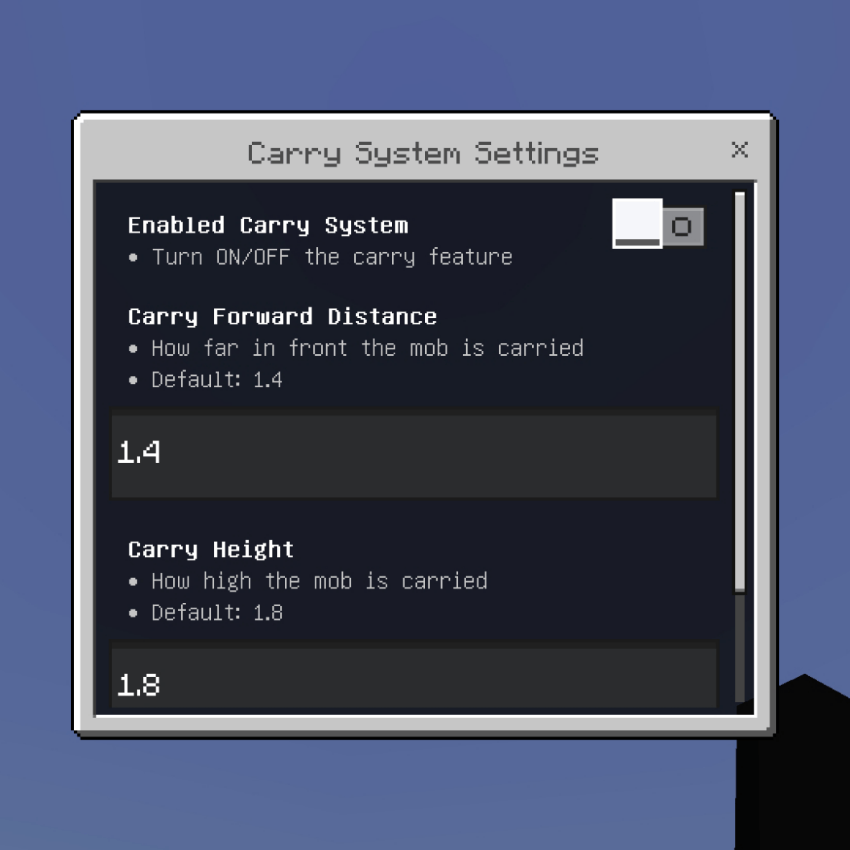
Allows you to pick up mobs and carry them on your back or in front of you! You can move them anywhere easily without using leads or rails.
Requirements:
- Your Main Hand must be EMPTY.
- Your Off-Hand must be empty OR holding a Totem of Undying or Shield.
How to Pick Up:
- Sneak and click/tap on the mob you want to carry.
- The mob will stick in front of you and follow everywhere you go.
How to Throw/Drop:
- While carrying, Sneak and click/tap on any block.
- The mob will be thrown forward a little bit and released.
How to Release Automatically:
- If you put any item into your Main Hand, the mob will be dropped instantly.
Settings:
You can adjust in the settings menu:
- Forward Distance: How far in front of you the mob floats.
- Height: How high up the mob floats.
Works on almost all mobs! 🐷🐄🐑🐺
Connected Glass v1.3.0
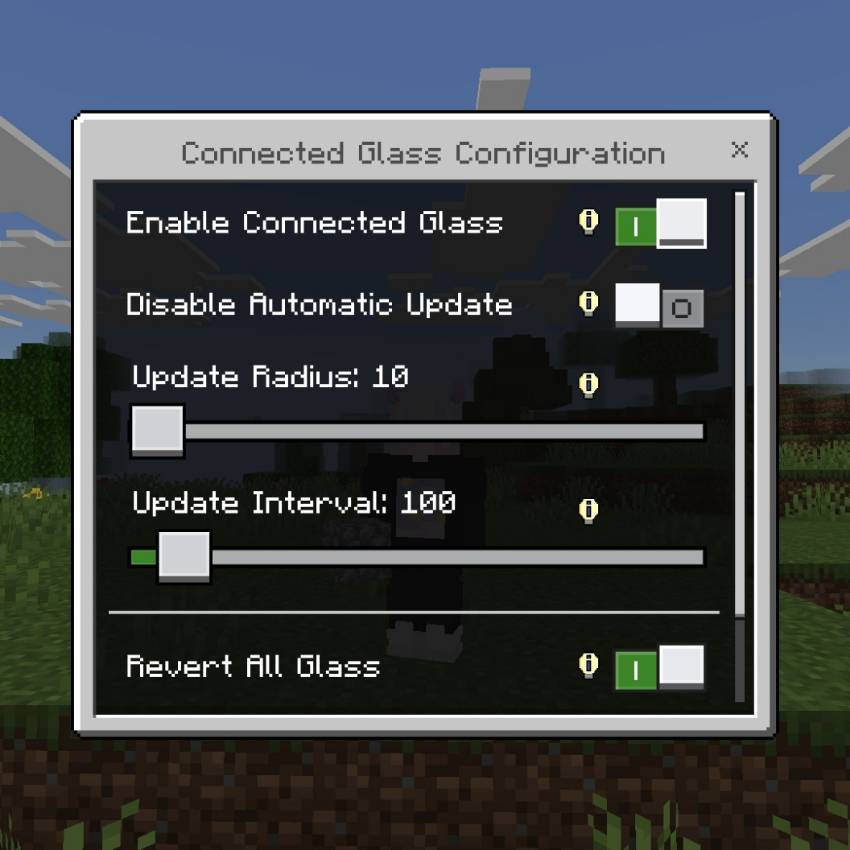
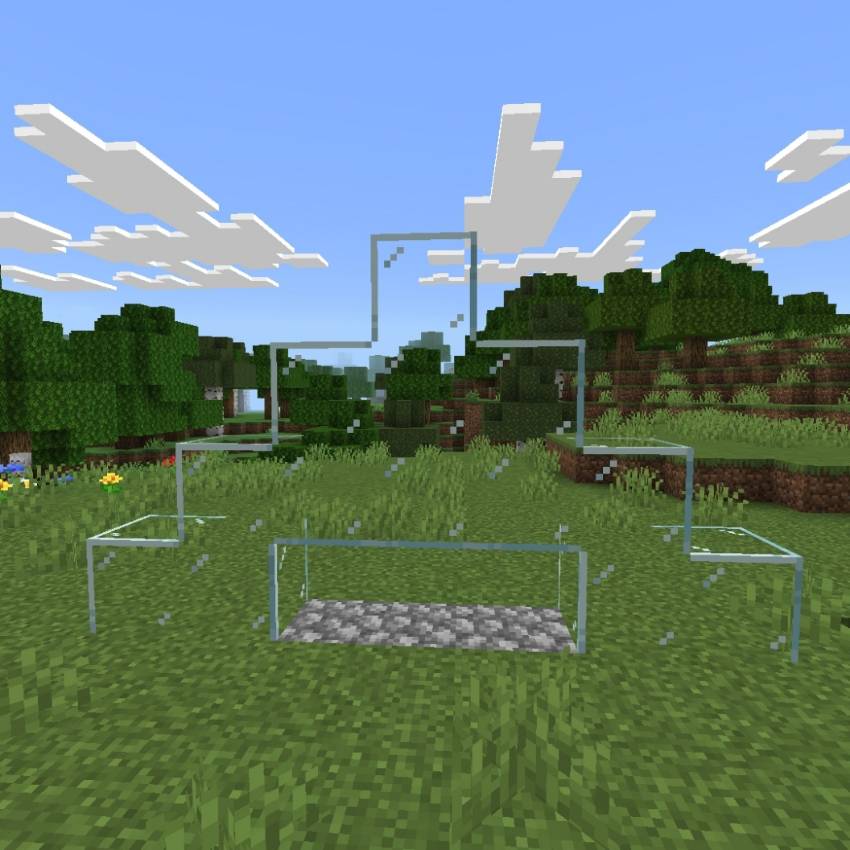
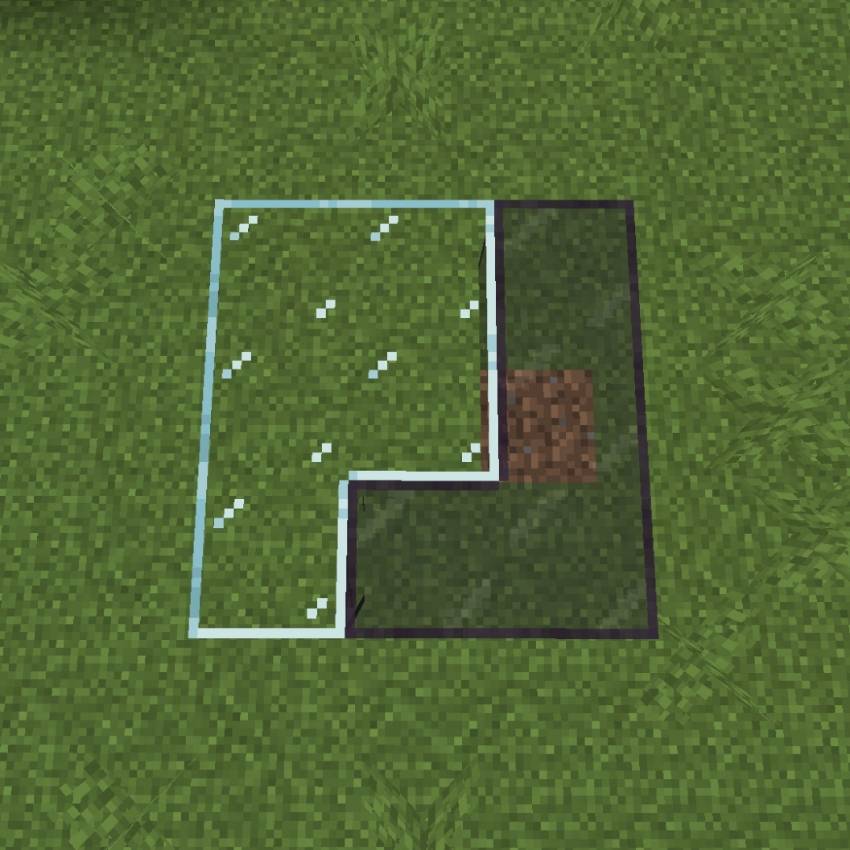
This Connected Glass is completely vanilla glass without the need for any further crafting.
I combined this Connected Glass from this add-on
https://www.curseforge.com/minecraft-bedrock/addons/kwz-connected-glass
Read more in the link I provided
Death Chest
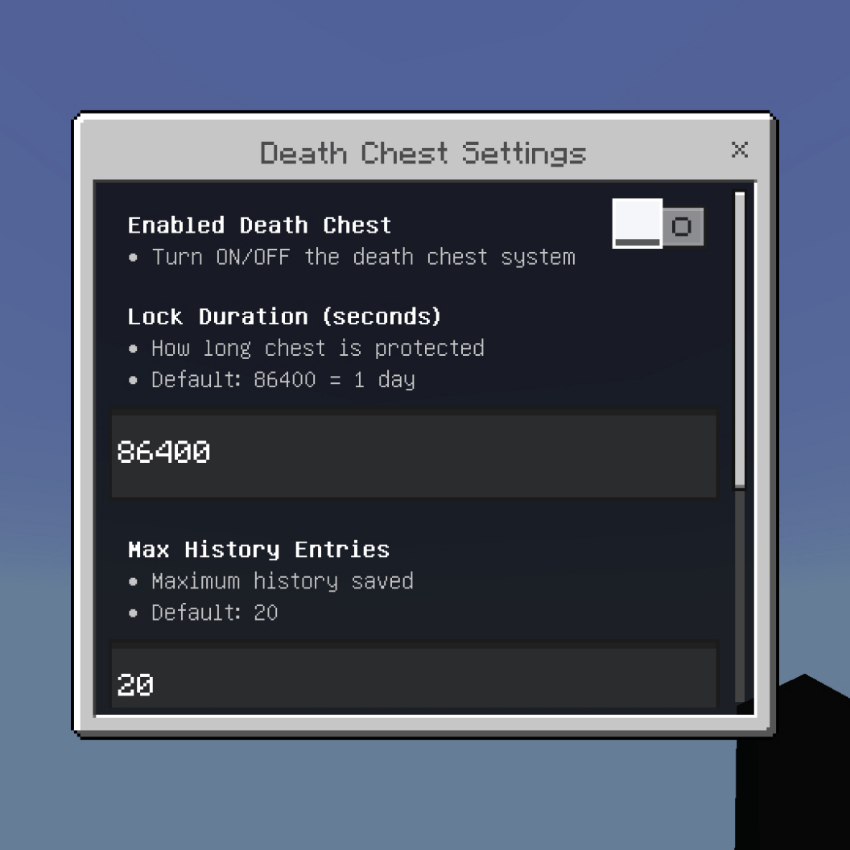
When you die, all your items will be automatically stored inside a Chest instead of dropping on the ground. This prevents your items from despawning, burning in lava, or being stolen, and makes it very easy to recover your stuff.
Auto Chest:
- When you die, a Chest will spawn exactly where you died. All your inventory and armor will be sucked into this chest safely.
- If you have too many items, it will spawn a Double Chest automatically.
Protection & Lock System:
- The chest is protected. It cannot be broken by other players, exploded by creepers, or destroyed by fire.
- You can set a Lock Duration (default: 1 day). During this time, only YOU can open the chest.
- After the time is up, the chest becomes unlocked but still safe.
Death History Menu:
- Use the Recovery Compass (given to you automatically after death) to open a GUI.
- See a list of all your death locations with Coordinates and Dimension.
- You can Teleport directly to your death point easily.
- History is saved and can be set to auto-delete after certain days.
Smart Restoration:
- When you open the chest, items will go back to their original slots! Armor goes back to armor slots, and items go back to their original inventory positions automatically.
Settings You Can Adjust:
- Enable/Disable: Turn the feature ON or OFF.
- Lock Duration: How long (in seconds) the chest is private/locked.
- Max History: How many death records are saved in the list.
- Auto Expire: After how many days old history is deleted automatically.
Never lose your items again! Even if you die in lava or deep dark, your loot is safe in a chest! 🛡️📦
DoubleDoor
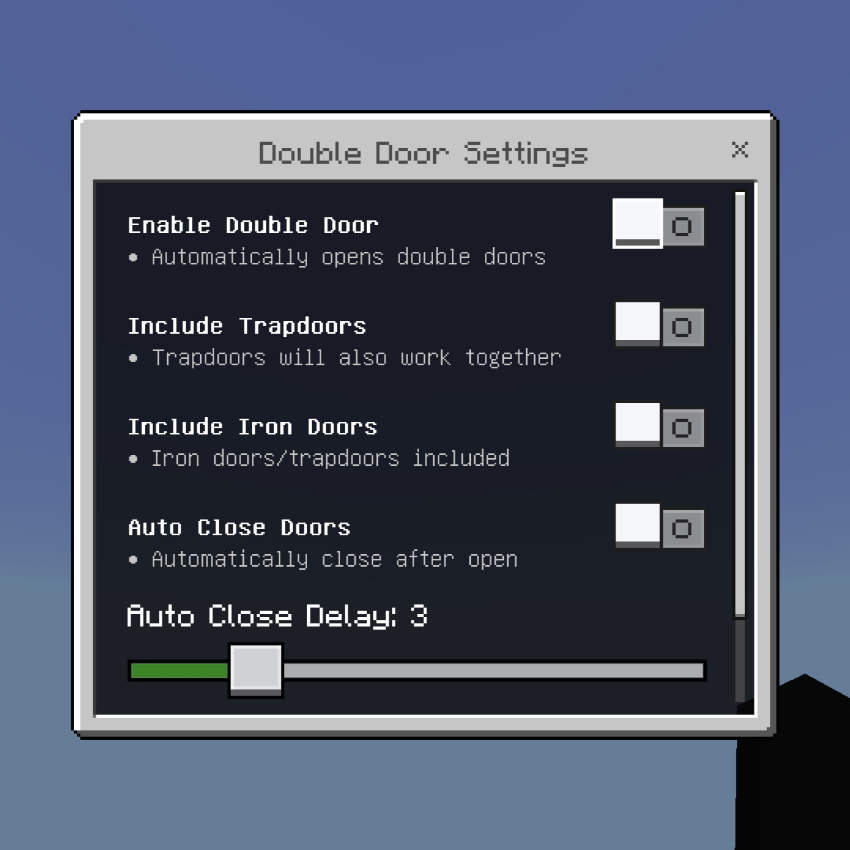
Opens both doors or trapdoors at the same time with just one click. No need to click twice anymore! Makes your base entrance much faster and smoother.
Smart Door Detection:
- Automatically finds the pair door next to you. When you click one, the other one opens or closes together perfectly synchronized.
Works with Trapdoors too:
- You can enable this option so Trapdoors also open together in pairs.
Include Iron Doors:
- Normally iron doors need redstone, but with this feature ON, you can open double iron doors manually just like wooden doors!
Auto Close System:
- Set it so doors will close automatically after you open them. You can adjust the delay time from 1 to 10 seconds. Very useful for security or keeping monsters out!
Settings:
- Enable/Disable: Turn the feature ON or OFF.
- Include Trapdoors: Make trapdoors work in pairs too.
- Include Iron Doors: Allow opening iron doors/trapdoors manually.
- Auto Close: Doors close themselves after opening.
- Close Delay: How many seconds to wait before closing.
Convenient and time saver! 🚪✨
Double Hands v1.3.0
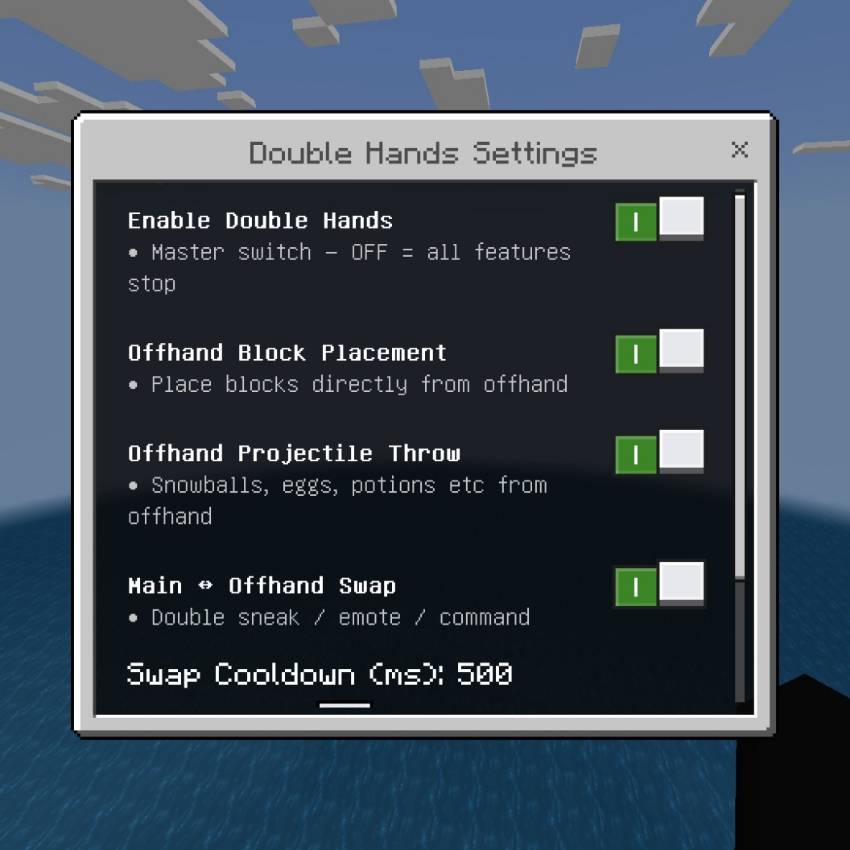

Unlock the full power of your offhand! Place blocks, throw items, swap hands and do more — all from your secondary slot!
Offhand Block Placement
- Place blocks directly from your offhand!
- Supports: blocks, seeds, crops, buckets, torches, redstone and more
- Smart detection — won’t interfere with main-hand actions
- Works with stairs, slabs, rails, plants and liquids
Offhand Projectile Throw
- Throw snowballs, eggs, potions, wind charges, XP bottles from offhand
- Accurate aiming with proper projectile physics
- Built-in cooldown for smooth usage
Quick Hand Swap
- Instantly move items between Main ↔ Offhand
- Activate by: Double Sneak • Emote • /xentium:swap command
- Adjustable cooldown: 200ms – 1000ms
- Smart protection: keeps enchanted items, shields, maps safe
Full Settings
- One master toggle to disable all features
- Separate switches for placing, throwing, swapping
- Fine‑tune swap cooldown to your preference
- Works perfectly alongside other add‑ons
Extra Capabilities
- Fill/empty buckets using offhand
- Spawn mobs, minecarts, armor stands from offhand
- Correct sounds, animations and placement rules
- No conflicts with vanilla mechanics
Build faster, fight better and never stop switching items! 🛠️🔥👐
Elytra Plus v1.1.1
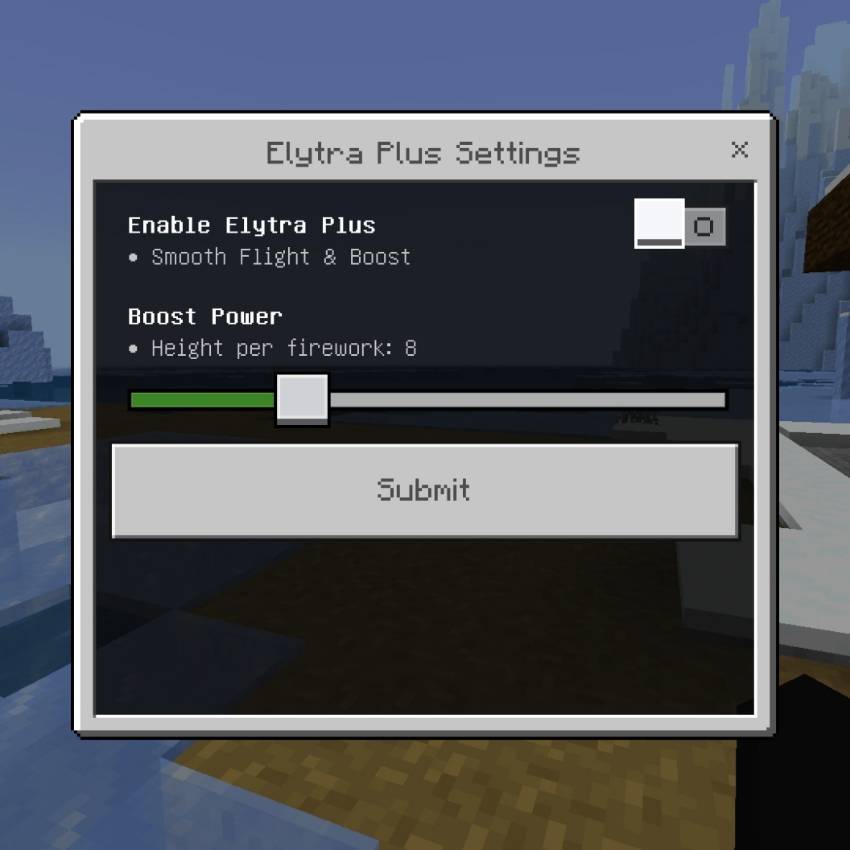
Fly faster and smoother than ever! This system upgrades your Elytra flight experience with powerful rocket boosting and smooth physics, making long distance travel super fast and fun.
How it Works:
- Equip your Elytra and start gliding.
- Use Firework Rockets to get an amazing speed boost.
- Flight feels much smoother and faster than vanilla!
Powerful Rocket Boost:
- When you use a Firework while gliding, you get a massive speed burst forward.
- You can adjust the Boost Power from 1 to 25 to control how strong the push is.
- Perfect for gaining altitude quickly or traveling super fast across the world.
Smooth Flight Physics:
- Automatically stabilizes your speed so you fly at a constant fast pace.
- No more slowdown or weird momentum changes.
- Gentle gravity control for perfect gliding feeling.
Momentum Recovery:
- If you stop flying briefly or turn, it will help you get your speed back quickly so you don't stall or fall.
Settings You Can Adjust:
- Enable/Disable: Turn the system ON or OFF.
- Boost Power: Adjust how strong the firework boost is (1 to 25).
Fly like the wind and explore your world faster than ever! 🚀🦅✨
Enchanted Shop Update v1.3.5
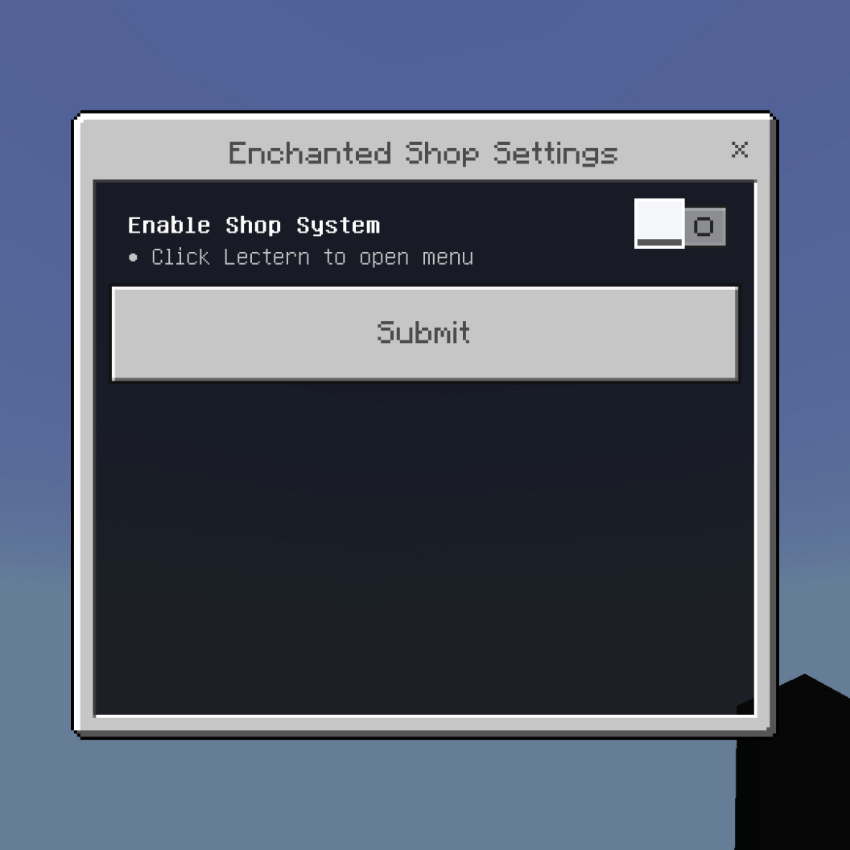
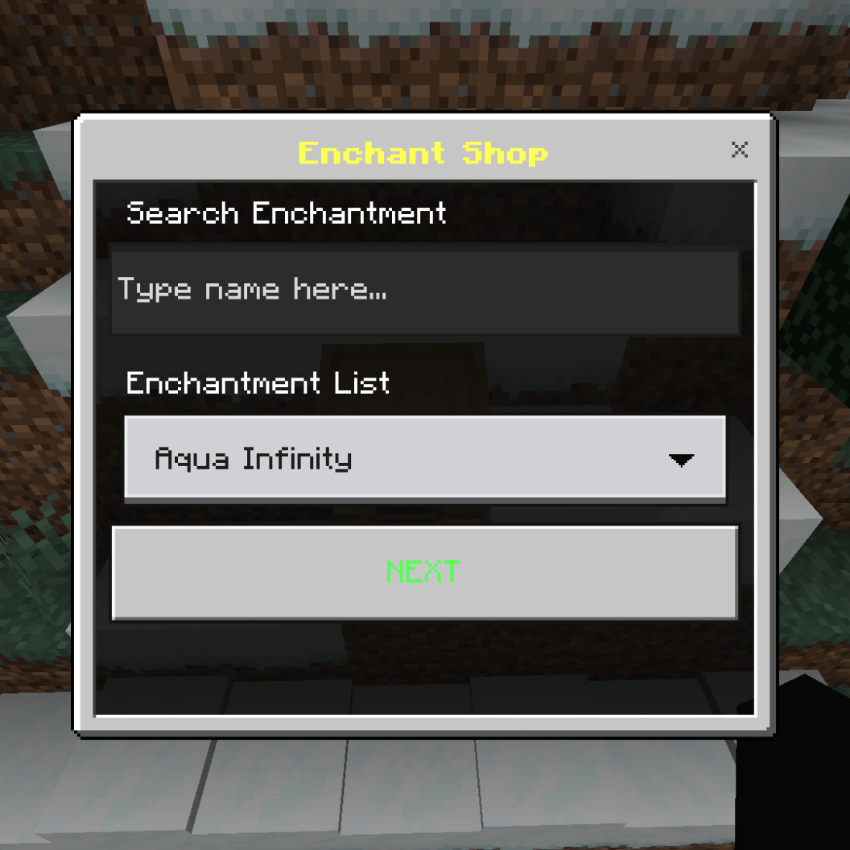
A complete trading system where you can buy any Enchanted Books and sell your items for XP Levels. Just click a Lectern to open the shop GUI!
Enchant Shop:
- Buy almost any enchantment you want, from Level 1 up to Level 35!
- Search feature to find enchantments easily.
- Choose the level and quantity directly from the menu.
- Requirement: You need to have Empty Books in your inventory and pay using XP Levels.
- Supports all enchantments including new ones like Windburst, Density, Breach, etc.
XP Trader:
- Sell your extra materials to get XP instantly!
- Accepted items: Iron/Gold/Diamond/Emerald/Netherite Ingots and Blocks.
- Very useful to level up fast without mining or farming for hours.
How To Use:
- Enable the feature in settings.
- Click/Tap on any Lectern (don't sneak).
- The Shop Menu will open.
- Select Enchant Shop to buy books, or XP Trader to sell items.
Make your survival easier and more fun! Get powerful gear easily! 📚✨
Full Bright v1.3.5
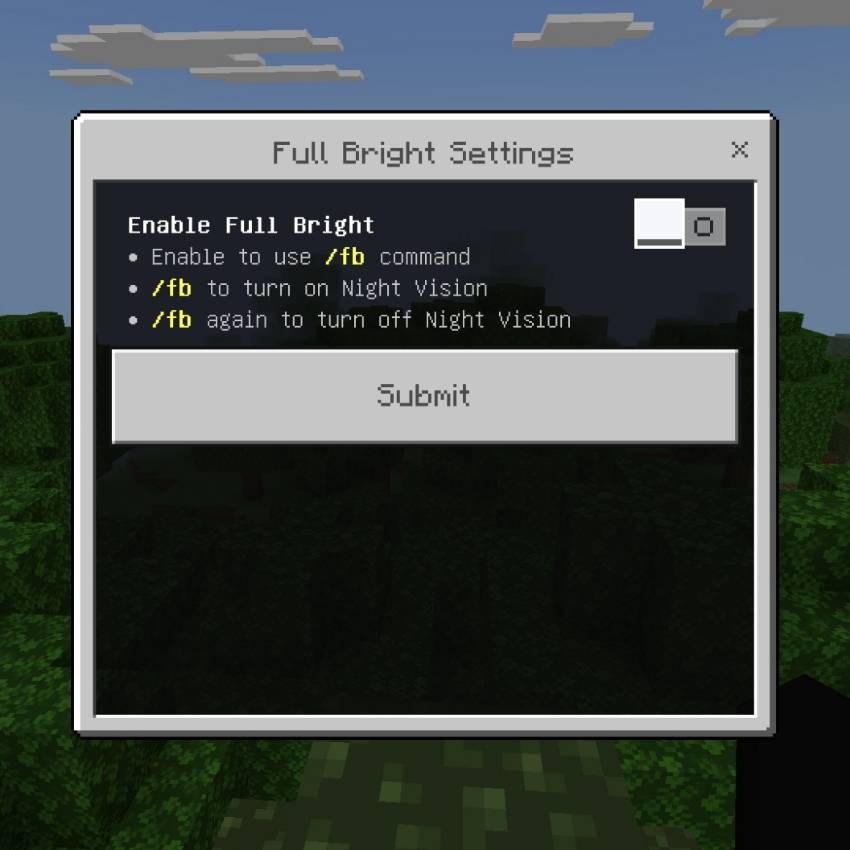
See perfectly in total darkness — no more fumbling for torches or being surprised in caves!
Night Vision
- Removes all darkness instantly — caves, deep oceans, and night are fully visible
- Automatically re‑applies Night Vision if it ever gets removed
- Works in every dimension and all lighting conditions
Simple Toggle
- One command control: run /fb once to turn ON, run again to turn OFF
- Enable or disable the entire feature in settings anytime
- No particle effects, no screen tint — just clear, bright vision
Lightweight & Safe
- No performance impact
- Fully compatible with survival, multiplayer, and all other Xentium Utilities modules
- Achievement‑friendly — no cheats required
Light up the dark without placing a single torch! 💡🌑✨
FreeCam v1.4.0
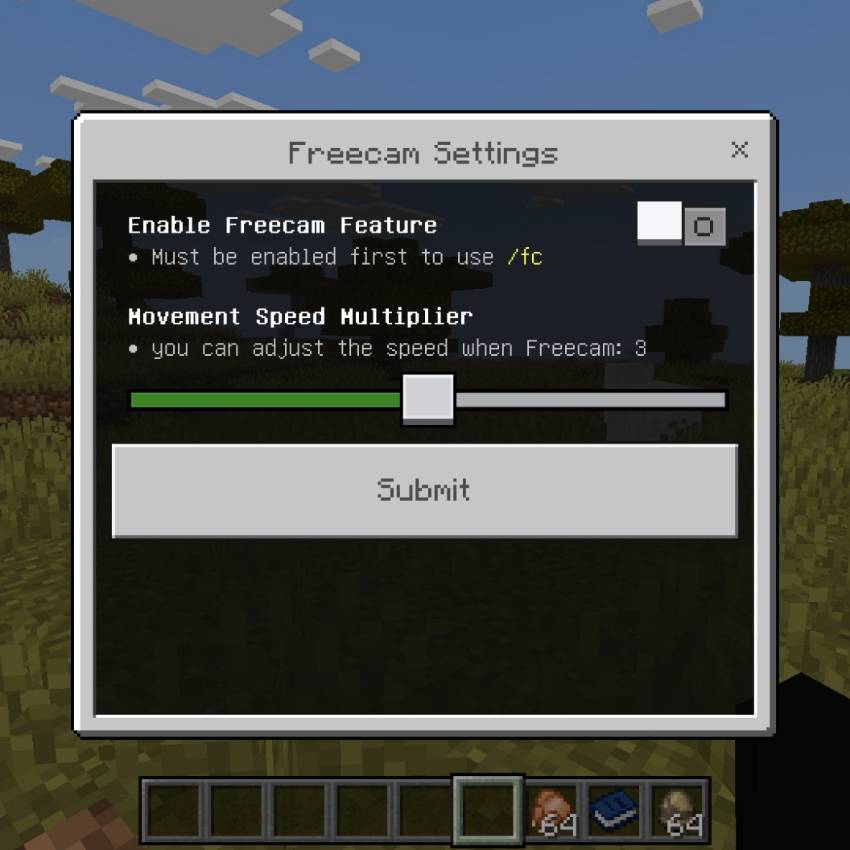
Break free from your body — explore, scout, and view your world from any angle without moving an inch! Perfect for checking caves, building layouts, or just enjoying the view.
Smooth Camera Control
- Activate instantly with /fc — toggle on or off whenever you want
- Movement follows your view direction naturally
- Jump to fly up, sneak to go down — intuitive controls
- Adjustable Speed: Choose from slow precise movement up to fast travel
- Smooth easing when entering/exiting for a polished feel
Safe & Restricted
- Max Range: Can only go up to 100 blocks from your actual position
- Warning shows at 90 blocks; auto‑disables if you stay at the limit too long
- Auto‑Exit: Automatically turns off if you take damage or die — no unfair advantages
- Your real player stays exactly where you left them
Simple Setup
- Enable the feature first in settings
- Fine‑tune movement speed to your preference
- All settings saved per player
- Fully compatible with survival — achievement‑friendly
Perfect For:
- Scouting caves and strongholds before entering
- Checking your builds from any angle
- Finding resources or hidden spots safely
- Exploring without risking your gear or health
See your world in a whole new way — without ever leaving your spot! 🎥👁️✨
Harvest Land
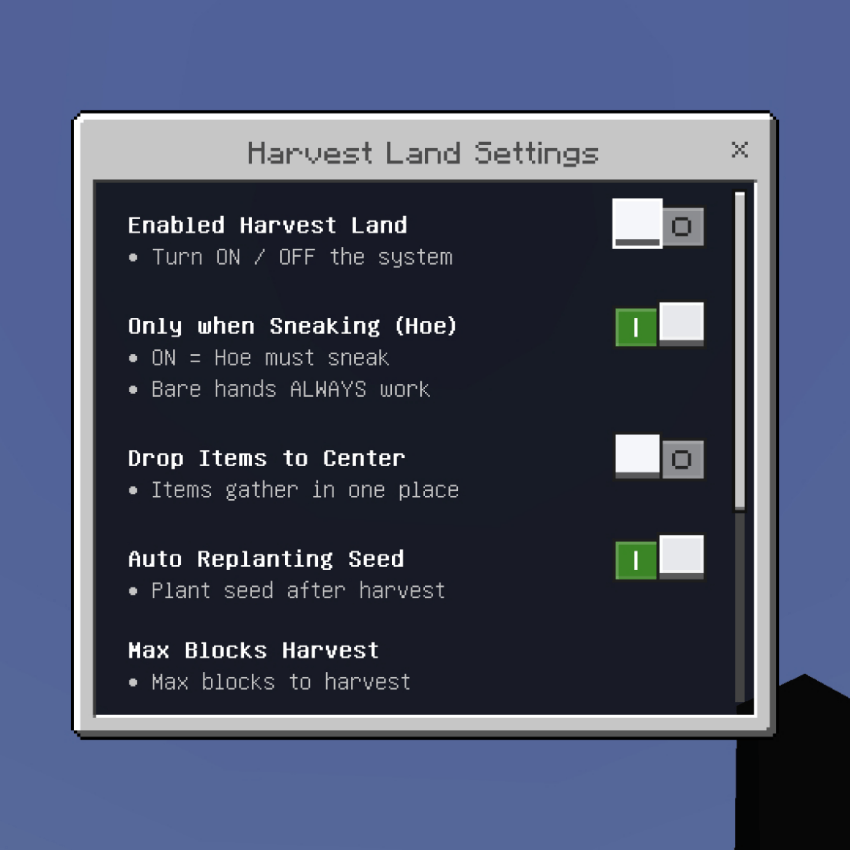
Makes farming super fast and automatic! You can harvest huge areas instantly and replant seeds automatically with just one click.
Mass Harvest:
- With Hoe: Click one crop and it will automatically harvest all connected ripe crops in a large area (up to 128 blocks).
- With Hand: Only harvests 1 block at a time for precise control.
- Supports Fortune and Silk Touch enchantments perfectly!
Auto Replant:
- After harvesting, the seeds are automatically planted back immediately. You don't need to click and plant one by one anymore! It uses seeds from your inventory or even items lying on the ground.
Mass Planting:
- Sneak + Click on Farmland while holding seeds, and it will plant seeds automatically on all nearby farmland in a big area!
Smart Settings:
- Only Sneak: Choose if you need to sneak to use the Hoe area harvest.
- Drop to Center: All items drop in the middle so you can pick up easily.
- Durability Loss: Toggle whether your Hoe takes damage.
- Max Blocks: Limit how many blocks can be harvested at once.
Works with: Wheat, Carrots, Potatoes, Beetroot, Nether Wart, Cocoa Beans, Torchflower, and Pitcher Plant! 🌾🚜
HealthBar
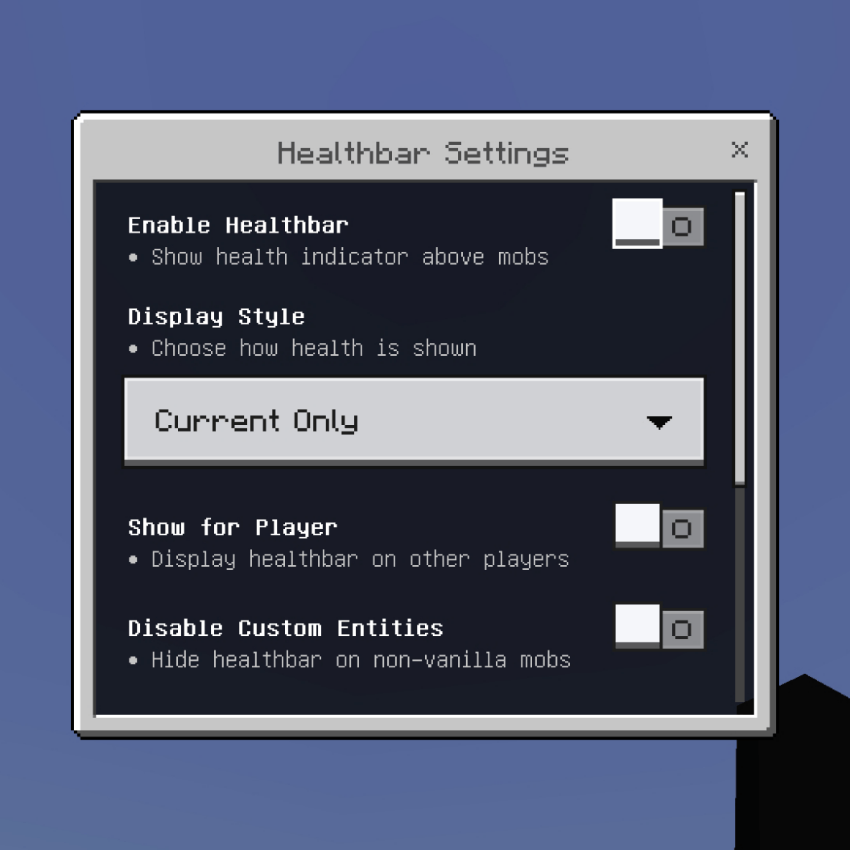
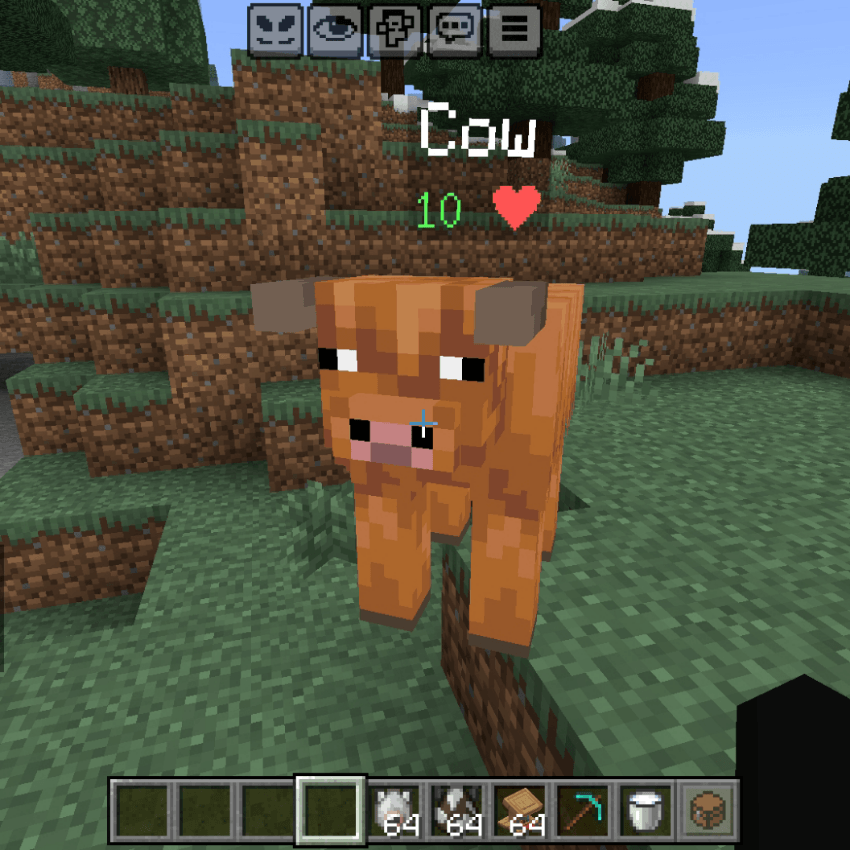
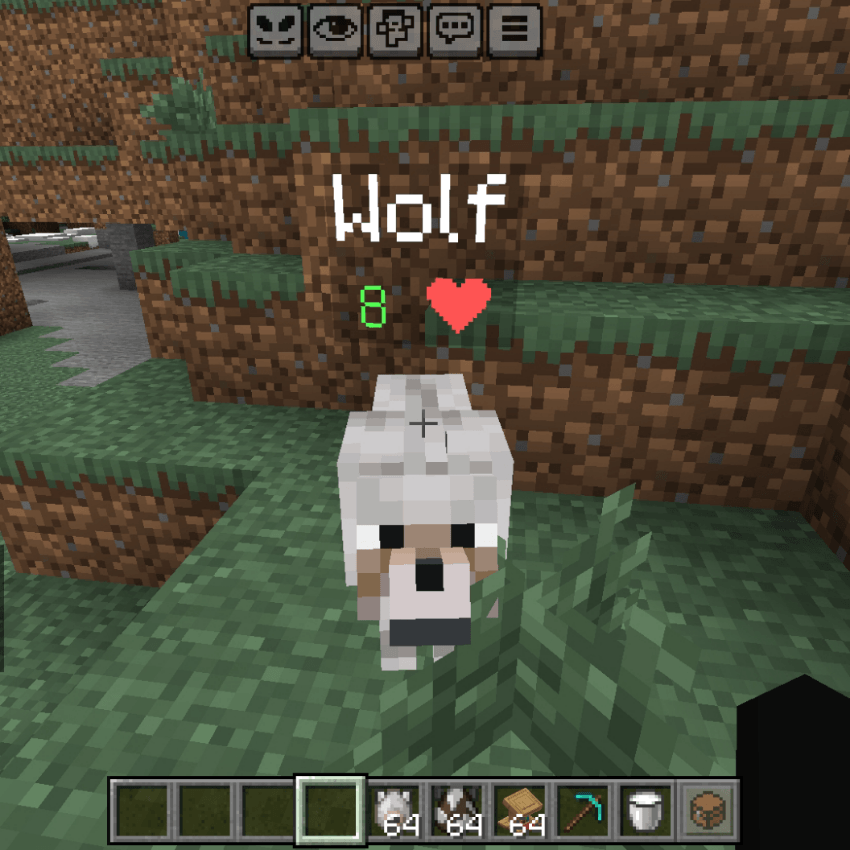
Shows HP numbers and health indicators right above every mob and entity! You can always see exactly how much health enemies or friends have left.
Real-time HP Display:
- Health numbers update instantly when the entity takes damage or heals.
2 Display Styles:
- Current Only: Shows just the number + Heart icon (e.g., 20 ❤ ).
- Current / Max: Shows current HP divided by total HP (e.g., 15 / 20 ).
Smart Color Coding:
- Green: High Health (> 50%)
- Yellow: Medium Health (> 25%)
- Red: Low Health (< 25%)
Highly Customizable:
- Show for Players: Option to display HP on other players too.
- Filter System: You can make a list of mobs to HIDE or ONLY SHOW.
- Ignore Custom Entities: Option to hide healthbar on addon mobs to prevent lag or bugs.
- Preserves Custom Names: If you name a mob with a Name Tag, it will stay there above the HP bar!
Very useful for PvP, PvE, and knowing exactly when to strike! 🩸❤️
Infinite Trader v1.1.1/BIG UPDATE v1.2.5
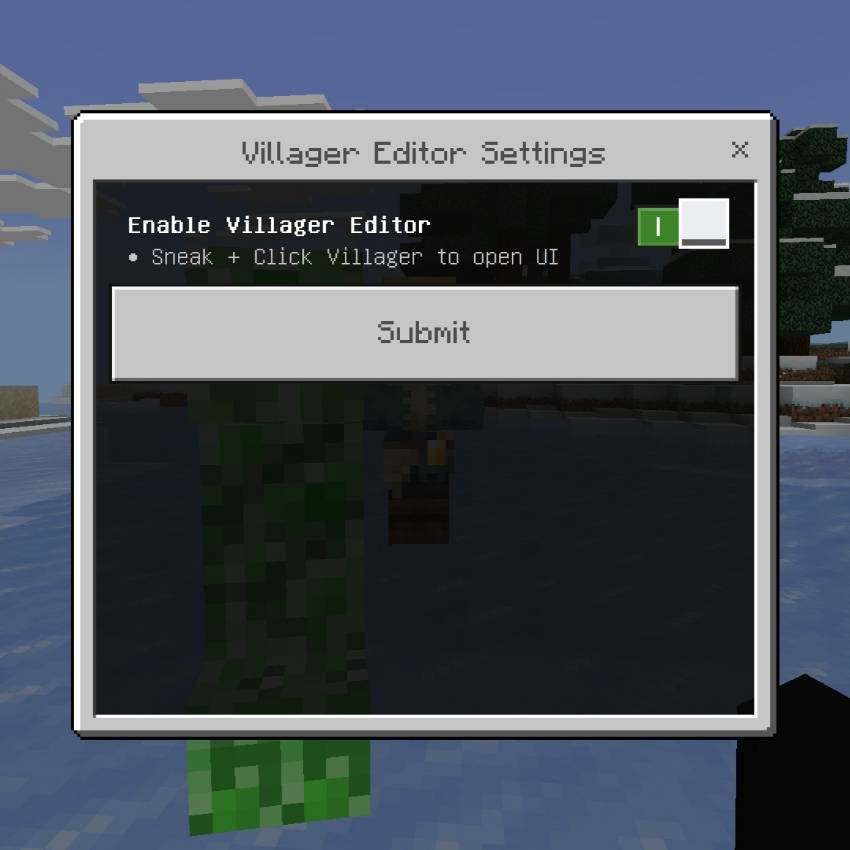
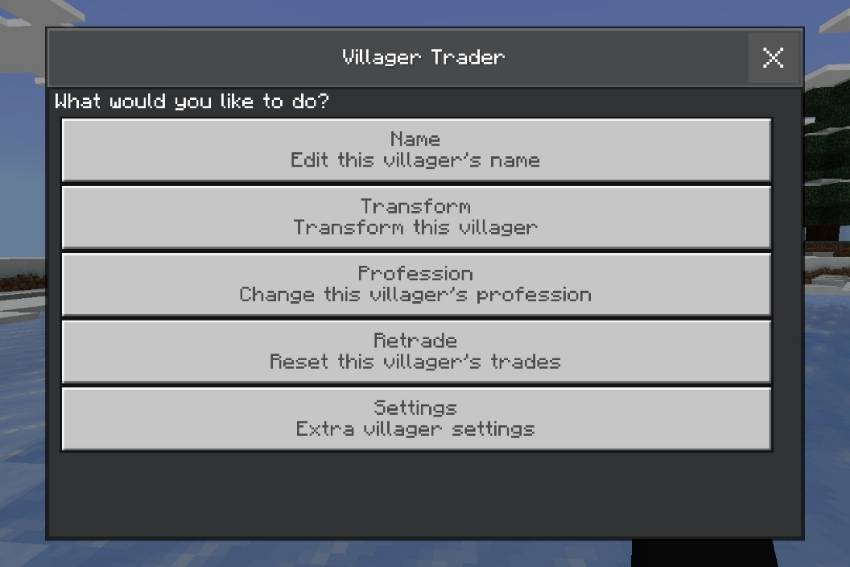
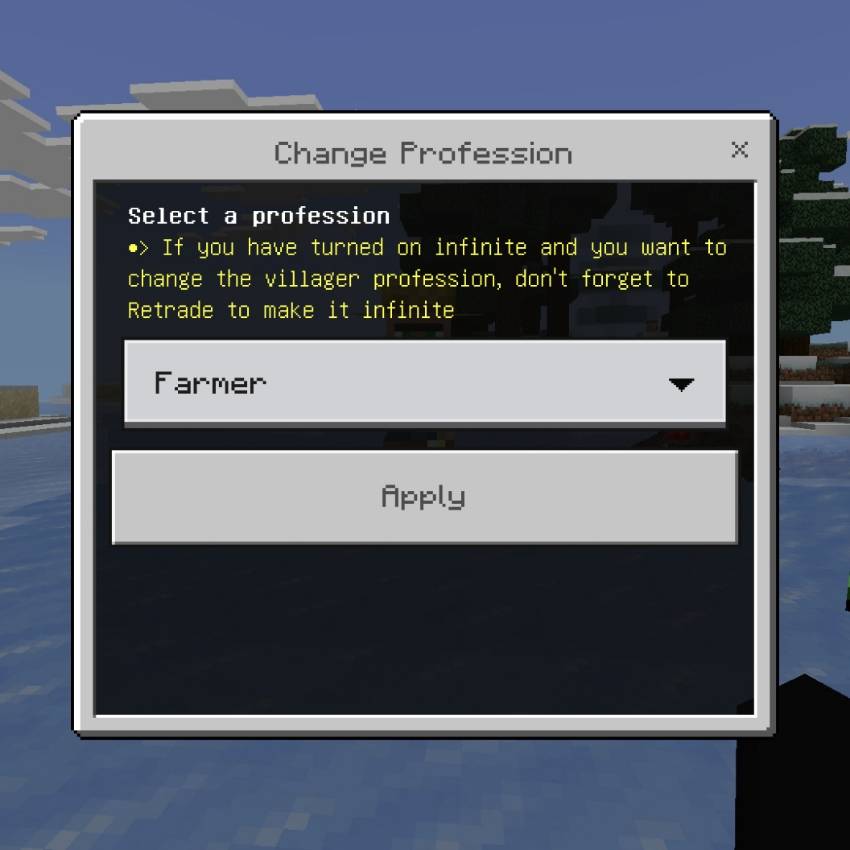
The ultimate villager customization tool! Edit everything about your villagers, make trades never run out, freeze them, change jobs, and even transform them into other mobs!
How to Use:
- Enable the module in settings.
- Sneak + Right Click any villager to open the Editor UI!
Infinite Trades
- Make any villager's trades unlimited!
- Buy/sell as much as you want without the trade ever locking.
- - Just toggle ON and click "Retrade" to apply!
Name Editor
- Give your villagers custom names with colors and styles.
- Perfect for shops and roleplay!
Change Profession
- Instantly change villager jobs anytime!
- Farmer, Librarian, Toolsmith, Armorer, and more.
- All professions available in one click.
Transform System
- Turn villagers into Zombie Villagers.
- Turn into Witches.
- Switch between Adult and Baby instantly.
- Change Biome/Skin (Plains, Desert, Jungle, Snow, etc.)!
Freeze Mode
- Freeze villagers in place so they don't wander away.
- Great for keeping your shops organized and safe.
Retrade Button
- Reset and refresh trades instantly if you don't like the offers.
- Works perfectly with Infinite Trade mode!
Easy Settings:
- Simple ON/OFF toggle.
- Activate only when you need it.
Make your trading life easier and fully control every villager in your world! 🏡💸🧑🌾
Infinite Vault v1.4.5
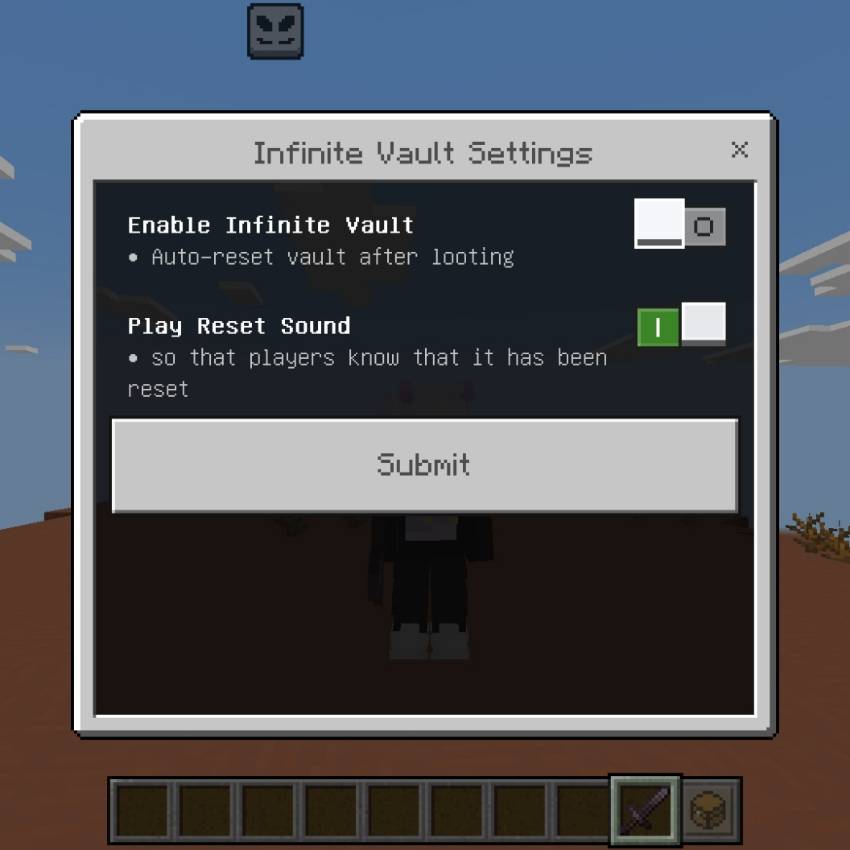
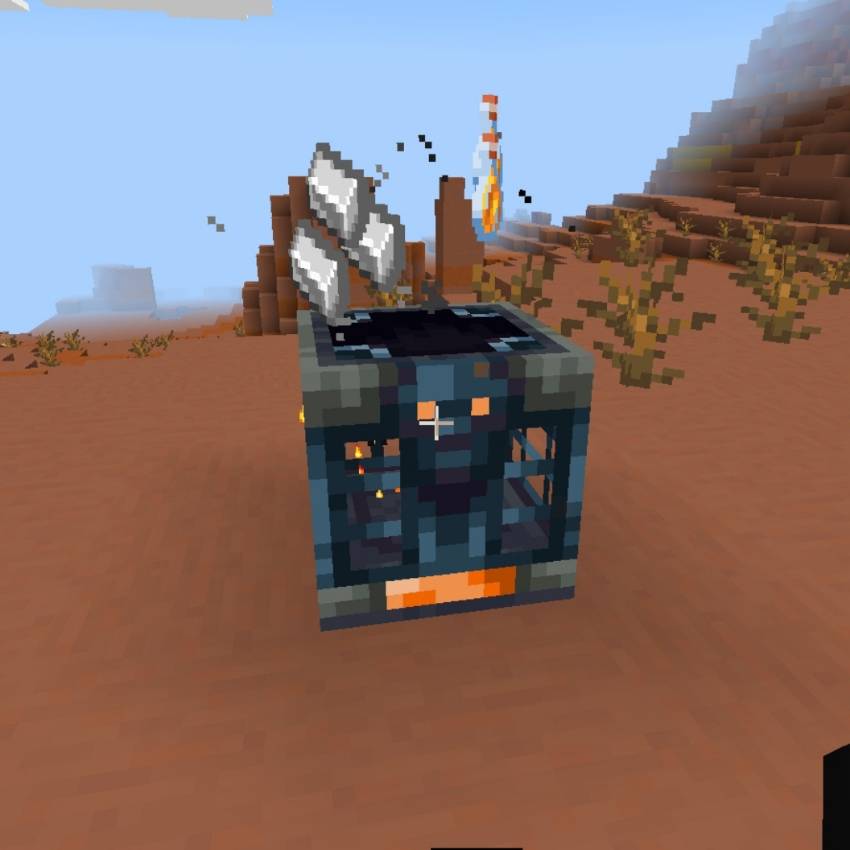
Never run out of Vault loot again! Automatically resets Trial Chambers and Ominous Vaults right after you collect rewards — farm as much as you want!
Auto‑Reset Vaults
- Fully restores any Vault — normal and Ominous variants
- Preserves original facing direction and exact block state
- Waits enough time so all items spawn fully before resetting
- Works in all dimensions and all Trial Chamber locations
Clear Feedback
- Optional reset sound — know instantly when the Vault is ready again
- Global toggle: turn the whole feature on or off anytime
- All settings saved permanently
Safe & Vanilla‑Aligned
- No permanent changes to your world
- Keeps all original mechanics — loot tables, cooldowns, and requirements stay intact
- Achievement‑friendly — no cheats or experimental tweaks needed
- Seamless part of Xentium Utilities
Farm resources, gear, and rewards infinitely without rebuilding or traveling! 🔐💎♾️
Item Beam v1.4.5
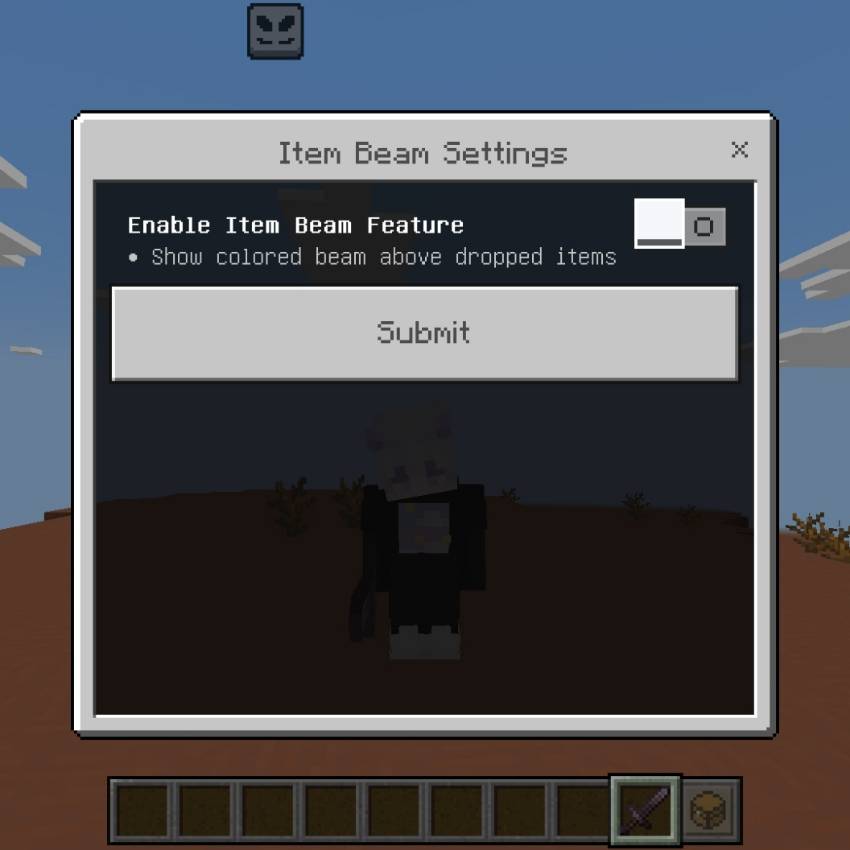
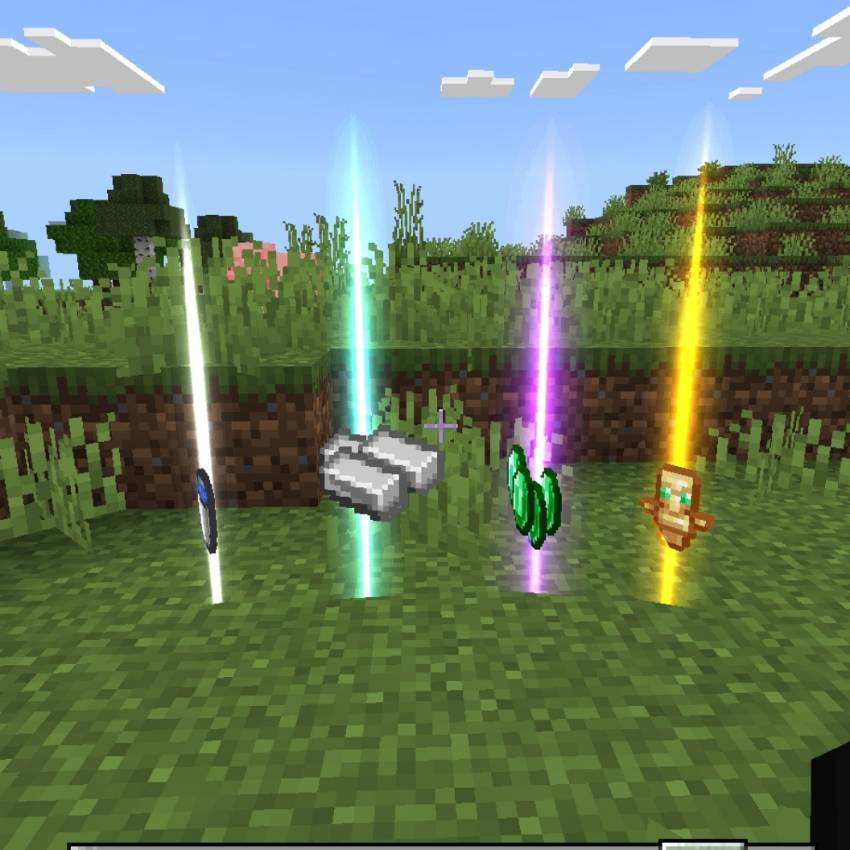
Never lose valuable loot again! Shows glowing colored beams above every dropped item — instantly spot what matters most from far away.
Rarity‑Based Colors
- 🟡 Gold Beam: Epic items — Elytra, Totems, Netherite, Smithing Templates, Tridents, Enchanted Golden Apples, and more
- 🟣 Purple Beam: Rare items — Diamonds, Emeralds, Ancient Debris, Shulkers, Enchanted Books, Music Discs
- 🔵 Blue Beam: Uncommon items — Iron, Gold, Copper, Trial Keys, Lapis, Saddle, and other useful gear
- ⚪ White Beam: All other items — easy to tell apart at a glance
Always Visible
- Beams appear above every dropped item in all dimensions
- Updates constantly — works even when items are moving or stacked
- Lightweight particles — no lag or performance impact
- Toggle the whole feature on/off with one setting
Survival‑Friendly
- Perfect for caves, oceans, and mob farms
- Find items you dropped in lava or dark areas instantly
- Fully compatible with all other Xentium Utilities modules
- Achievement‑safe — no cheats or experimental settings needed
Spot treasure, resources, and loot without straining your eyes! 💎✨🔦
Items Holograms
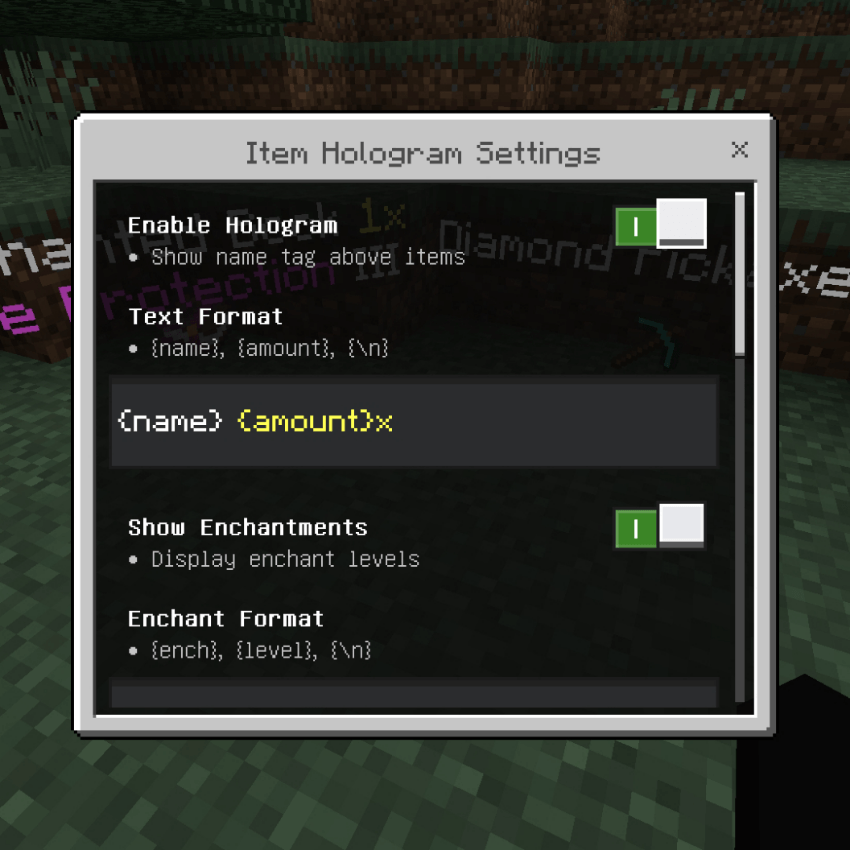
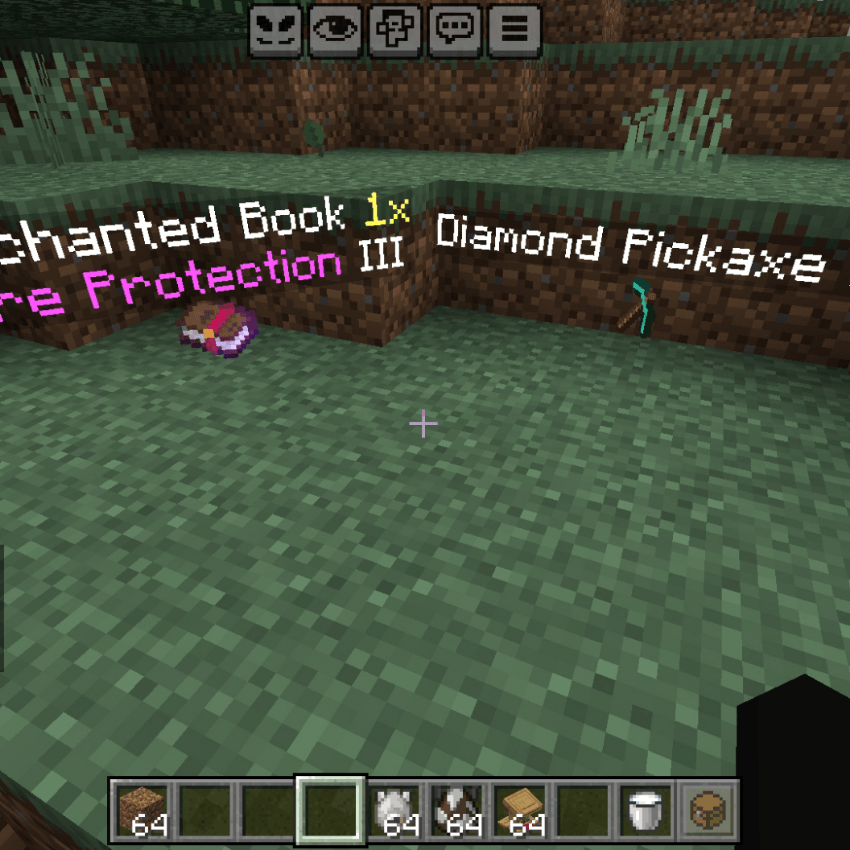
Shows floating text labels above every dropped item! You can see exactly what the item is, how many there are, and even its enchantments without picking it up.
Clear Item Info:
- Displays the Item Name and Amount instantly.
- ( Example: Diamond Sword 1x )
Enchantment Display:
- Shows all enchantments and levels right below the item name!
- Levels are written in Roman Numerals (I, II, III, IV, V, etc.) for a clean look.
Despawn Timer:
- Optional feature to show a countdown until the item disappears.
- ( Example: despawns in: 4:55 )
Highly Customizable:
- Text Format: You can change the style, colors, and order using {name} , {amount} .
- Distance Limit: Set how far away you can still see the hologram.
- Filter System: Hide specific items or only show certain items using Whitelist/Blacklist mode.
- Show Item ID: Option to display the full ID like minecraft:diamond for developers.
Makes looting easier and helps you find valuable items quickly! 🏷️✨
Java Saturation
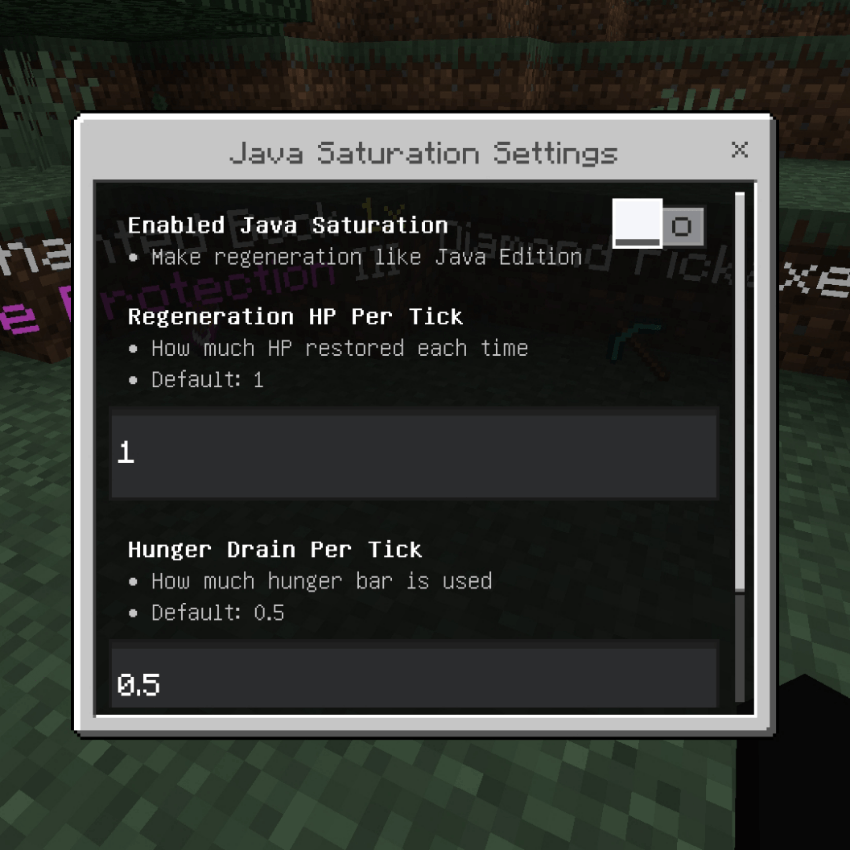
Changes the regeneration system to work exactly like Minecraft Java Edition! Instead of healing very fast automatically, you will heal over time by consuming your hunger bar.
Java Style Regeneration:
- When your hunger bar is full enough (above 2), your health will slowly regenerate until it's full, just like on PC.
Hunger Consumption:
- Every time you regain HP, your hunger bar will decrease slightly. If your hunger gets too low, regeneration stops.
Food Values:
- Different foods give different amounts of "heal points".
- Golden Apple / Golden Carrot: Gives a lot of regeneration!
- Bread / Apple: Gives moderate regeneration.
- Rotten Flesh: Gives very little regeneration.
Customizable Settings:
- Regen Amount: How much HP you get per tick.
- Hunger Drain: How fast your hunger bar goes down while healing.
- Enable/Disable: Turn this feature ON or OFF whenever you want.
Perfect for players who prefer the classic Java Edition survival feeling! 🍖❤️
Lodestone Warp
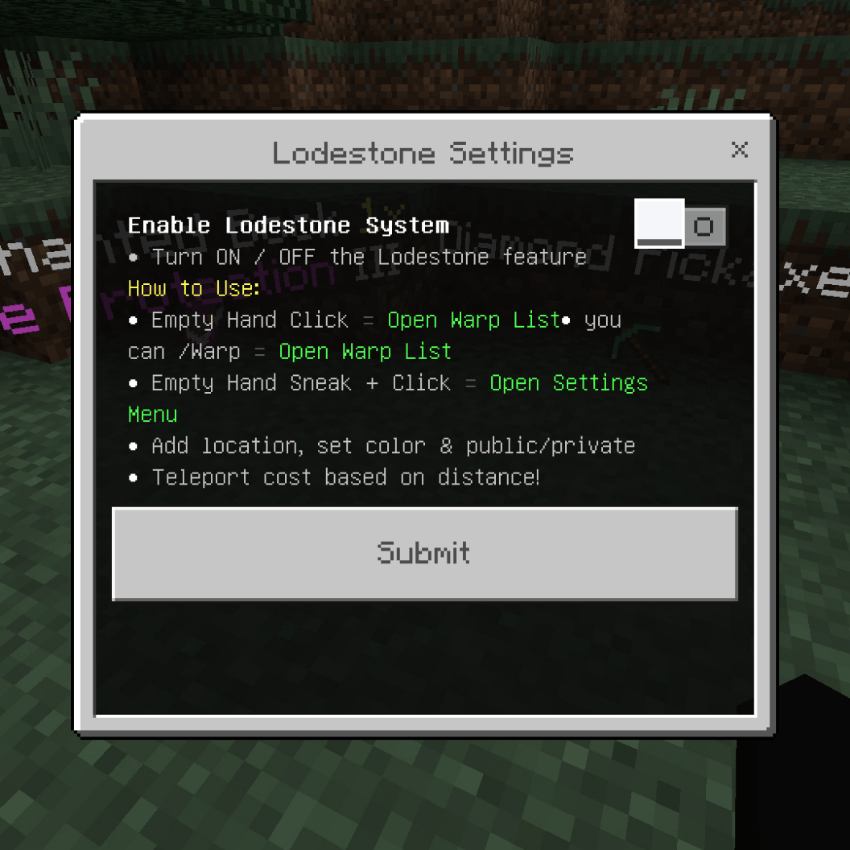
Turns Lodestones into powerful teleportation waypoints! You can save your base, farm, or any location and teleport there instantly anytime.
Private & Public Warps:
- Private: Only you can teleport to it.
- Public: Everyone on the server can see and use your warp point.
Customization:
- Give your warp any name you want.
- Choose custom colors for the name using color codes.
- Add descriptions so others know what the place is.
Search System:
- Easily find any public warp by typing the name in the search bar.
Favorite System:
- Mark your most used warps as Favorites so they appear at the top of the list for quick access.
XP Cost System:
- Teleportation costs XP levels based on distance.
- Under 2000 blocks = FREE
- Further distances = Small XP fee.
- Creative mode is always free!
Secure & Protected:
- Only the owner can edit or break their own Lodestone.
- Protected from explosions and other players.
- Use command /warp to open the menu anywhere!
Perfect for traveling around your world easily! 🪨✨🚀
Ores Scanner v1.1.5
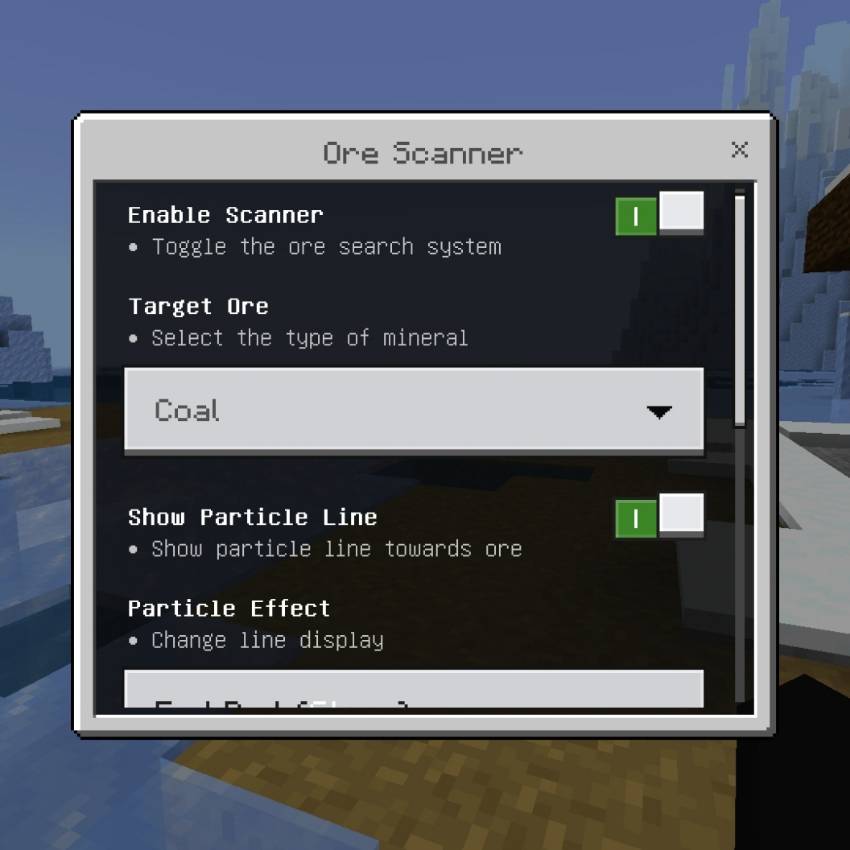
Find valuable minerals easily! This system scans the blocks around you and shows exactly where Diamonds, Gold, Iron, Emeralds, Ancient Debris, and other ores are hidden underground.
How it Works:
- Turn on the scanner and select which ore you want to find.
- Walk around and it will automatically detect ores within range.
- It shows you the Distance, Height (Y coordinate), and even how many blocks are in that vein!
Supports All Ores:
- Coal, Copper, Ancient Debris, Diamond, Emerald, Gold, Iron, Lapis Lazuli, Quartz, and Redstone!
- Works on normal ores and Deepslate variants.
Visual & Audio Cues:
- Particle Line: Draws a glowing line directly from you to the ore location.
- Sound Effects: Plays a "pling" sound that gets faster and higher pitch the closer you get.
- Lava Warning: Automatically warns you if there is Lava nearby! ⚠️🔥
Smart Display:
- Shows exact distance in meters.
- Shows Y-level so you know if it's high up or deep down.
- Counts how many ores are in that vein (Size: X).
Customizable Settings:
- Target Ore: Choose what mineral to search for.
- Scan Range: Adjust search distance from 1 to 25 blocks.
- Update Speed: Make it scan faster or slower (Lower number = Faster).
- Particle Style: Choose between End Rod stars or Green Villager effects.
- Sound: Turn notification sounds ON or OFF.
Never get lost mining again! Find every treasure easily with this advanced radar system. 📡💎⛏️✨
Realism Cutters v1.1.5/Removed in version v1.2.1/Update v1.3.5
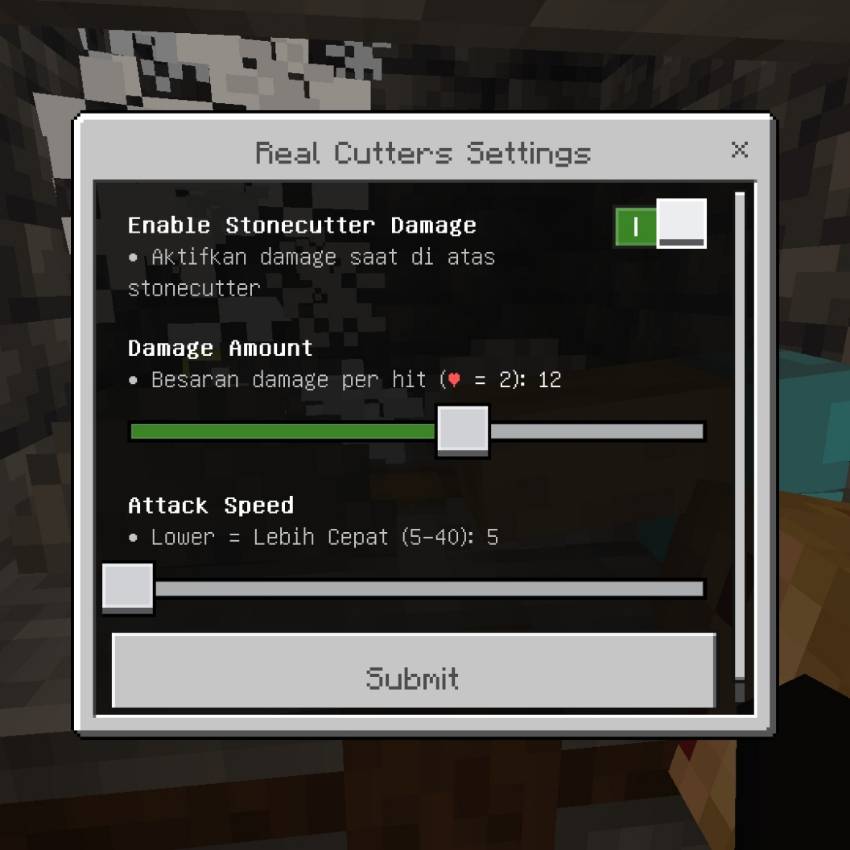
Turn your Stonecutter into a dangerous trap or automatic farm! This system makes Stonecutters deal damage to any mob or player standing on top of it.
How it Works:
- When you place a Stonecutter, it becomes registered as YOURS.
- Any entity (mob or player) that steps on it will get hurt continuously!
- Perfect for making mob farms, protection traps, or just adding realism.
Customizable Damage:
- Adjust how much damage is dealt per hit.
- 1 Heart = 2 Damage points, so you can set it from weak to instantly deadly!
Adjustable Speed:
- Control how fast the attacks happen.
- Lower number = Faster attacks!
- Higher number = Slower attacks.
Owner System:
- - Only the Stonecutters that YOU placed will use your settings.
- - If you break the block, the trap is removed safely.
- - Works in all dimensions: Overworld, Nether, and The End.
Visual Effects:
- Shows cool critical hit particles when something takes damage.
Settings You Can Adjust:
- Enable/Disable: Turn the damage system ON or OFF.
- Damage Amount: Set how strong the attack is (1 to 20).
- Attack Speed: Set how often damage is applied (5 to 20).
Build your own automatic grinder or secure your base with deadly traps! ⚔️🔪⚠️✨
Sit Anywhere
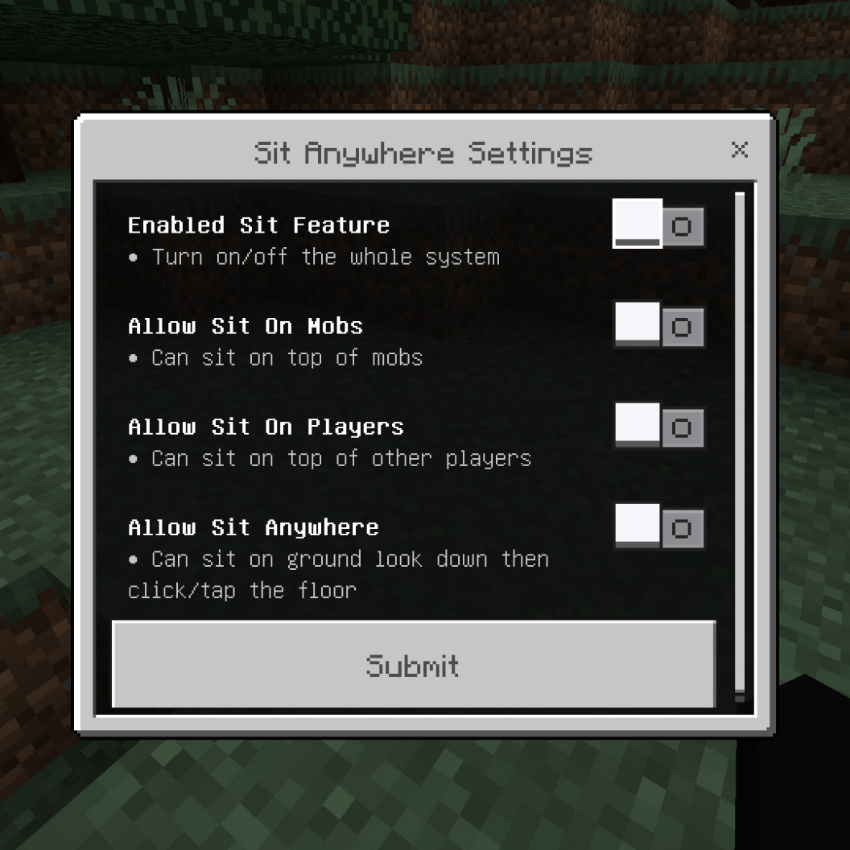
Allows you to sit down almost anywhere! You can sit on stairs, slabs, logs, trapdoors, and even directly on the ground or on top of mobs and players.
Sit on Blocks:
- Tap or click on stairs, slabs, wood logs, trapdoors, carpets, and many other blocks to sit down naturally.
- Automatically faces the right direction when sitting on stairs!
Sit Anywhere Mode:
- Look down at the ground and tap to create a seat instantly! You can sit anywhere you want even if there are no blocks.
Sit on Mobs:
- You can ride and sit on top of almost any mob!
- Works on Animals, Monsters, Bosses, and even Vehicles like Boats & Minecarts.
- Supports Baby mobs with special height adjustment.
Sit on Players:
- Fun feature to sit on top of other players!
Smart Detection:
- Won't let you sit if there's no headroom.
- Automatically stands up and removes the seat if the block is broken, water flows in, or you move away.
- Smooth animations and perfect height positioning for every entity.
Makes your world feel more realistic and fun! 🪑✨
Simple Furnace
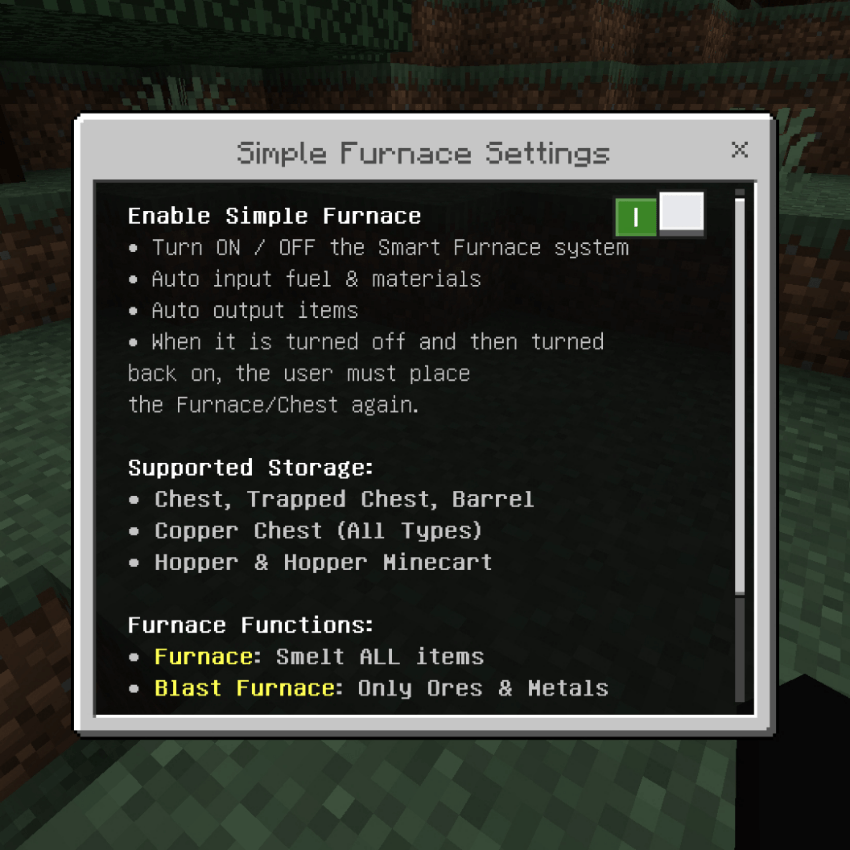
Turns your regular Furnace, Blast Furnace, and Smoker into fully automatic machines! They will automatically take fuel and materials, cook them, and put the finished items into chests automatically.
Auto Input & Output:
- Automatically pulls items and fuel from adjacent Chests, Barrels, Copper Chests, and Hoppers.
- Automatically pushes cooked items into storage blocks.
- Works with Hopper Minecarts too!
Smart Item Filtering:
- Furnace: Smelts ALL types of items.
- Blast Furnace: Only processes Ores, Ingots, Metals, and Armor.
- Smoker: Only cooks Food and Crops.
Fuel Priority:
- Uses fuel in the most efficient order!
- Prefers Coal, Charcoal, Blaze Rod, Lava Bucket first.
- Then uses Logs, Planks, and other burnable items automatically.
Visual Connection:
- Shows happy villager particles connecting the furnace to the chest it's using, so you always know where items are coming from and going to!
Auto XP Drop:
- Automatically spawns XP orbs when items are finished cooking.
Makes your mining and cooking life so much easier! 🔥⚙️
Smart Wolf v1.4.0
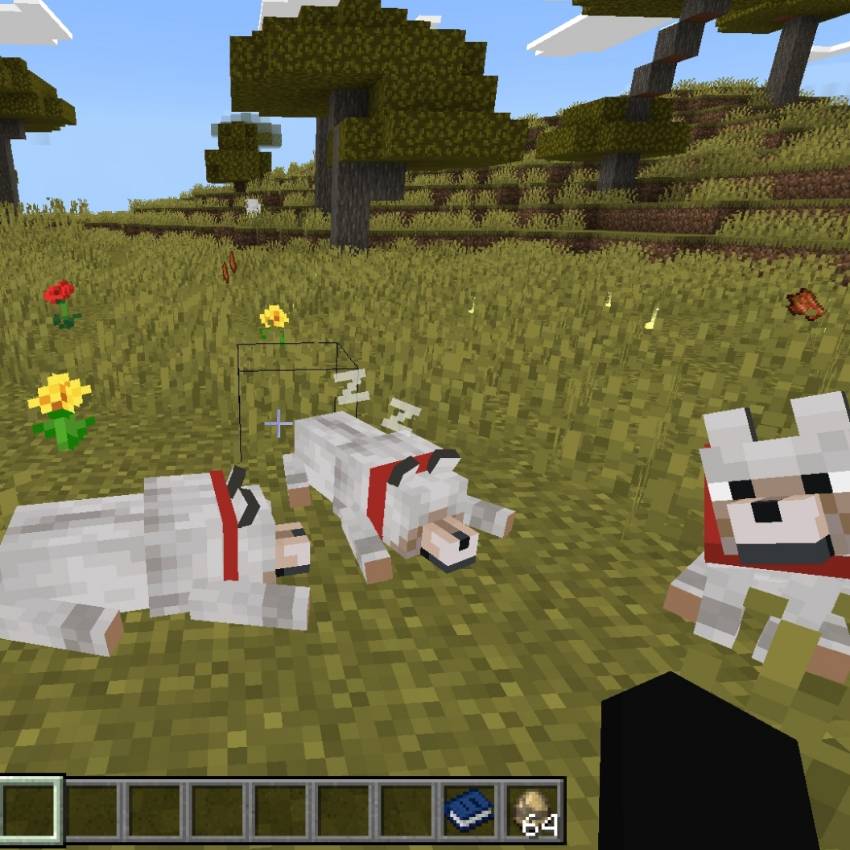
Wolf Changes:
- Improved Combat Awareness: Now attacks nearby hostile entities like Zombies, Skeletons, and Spiders more efficiently.
- Faster Response: Tracks and follows the player more closely and at a better speed.
- Boosted Hunting Instincts: Improved speed when seeking out enemies to attack.
- Tougher in Battle: Slightly resists knockback from enemy attacks.
- Life-Stealing Instinct: Recovers 8 health points each time it kills an entity.
- Wider Strike Radius: Slightly increased hitbox for better attack reach.
- Magical Resistance: While wearing the Armadillo Armor, it specifically reduces magic damage (like Instant Damage).
- Wild Wolf More Durable: Gains a small health boost to better match the game's difficulty curve.
Compatible with any texture that changes wolves, including "Actions and Stuff"
Spawn Rate Mobs v1.1.5
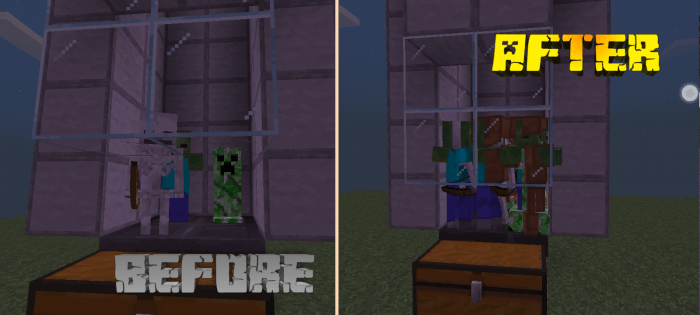
When you play Survival or Hardcore mode, this feature will automatically increase the spawn rate of monsters so the world feels more alive, challenging, and exciting!
Increased Spawn Rate:
- All monster spawn rates have been increased to 2x - 3x times the original settings.
- You will meet mobs much more often, making exploration and farming resources way faster.
- Works perfectly in both Survival and Hardcore modes
Better Group Size:
- Mobs will spawn in groups that are just right—not too few, not too many.
- Makes battles more fun and challenging without making your game lag or overload.
Balanced & Stable:
- The numbers have been carefully adjusted to feel natural and smooth.
- Still follows the original game rules (spawns at night, in dark places, specific biomes, etc.).
- Performance friendly, won't cause FPS drops or heavy lag.
Why use this?
- Makes the game feel more like Java Edition.
- Perfect for players who want more action and faster loot farming.
- Difficulty stays the same, just more enemies to fight!
- Works with almost all hostile mobs like Zombies, Skeletons, Creepers, Piglins, and many more!
Never get bored again! Now every cave, forest, and Nether is full of adventure and challenges! ⚔️🔥💀
Storage+
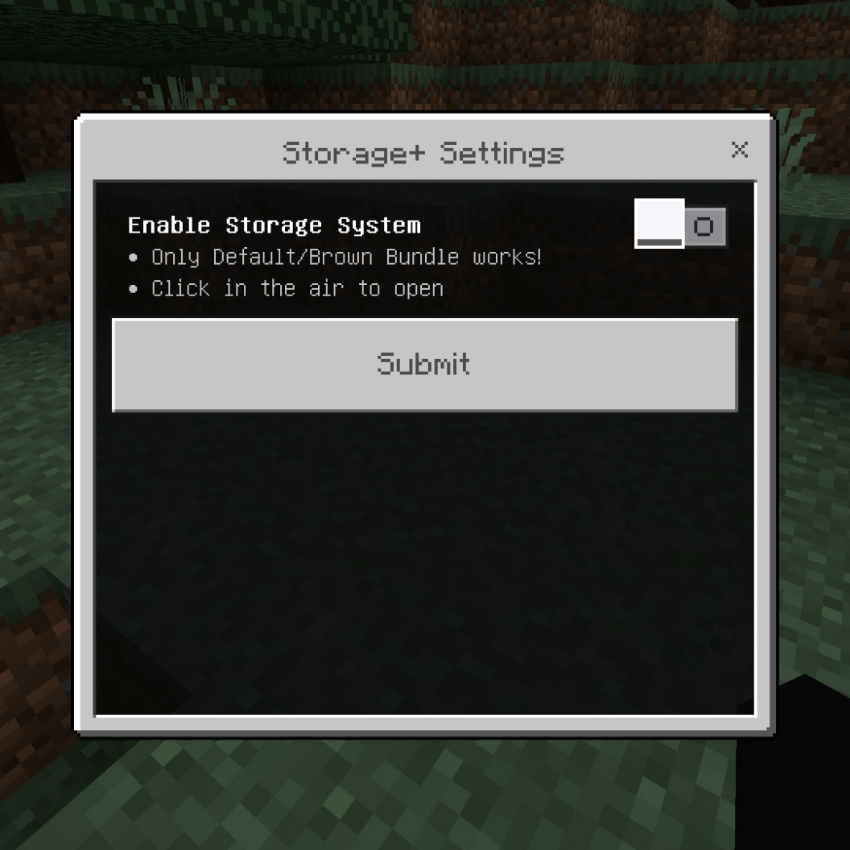
Turns your Bundle into a massive personal storage system! You can store thousands of items without needing chests, access them anywhere, and even save your XP levels.
Infinite Personal Storage:
- Store almost any item directly into the system.
- Items are saved safely and never disappear!
- Supports Store All and Quick Stack features.
Smart Categories:
- Items are automatically sorted into groups for easy browsing:
- Food, Armor, Tools, Building Blocks, Redstone, Materials, Decorations, and more.
Search & Multi Take:
- Instantly find any item by name.
- Multi Take: Take multiple different items at once!
XP Storage:
- Store your XP levels safely inside the system and take them back whenever you need them!
Auto Functions:
- Auto Store: Automatically moves everything from inventory to storage.
- Auto Stack: Automatically adds items that already exist in storage.
- Auto Totem: Automatically puts a Totem of Undying in your offhand when your health is low! Saves your life instantly.
Transaction History:
- Keeps track of all items stored and taken out with time logs.
Sorting Options:
- Sort items by Name (A-Z) or by Highest Quantity.
Bilingual:
- Supports English and Indonesia language.
The ultimate inventory management system! 🎒✨📦
Sweeping Edge
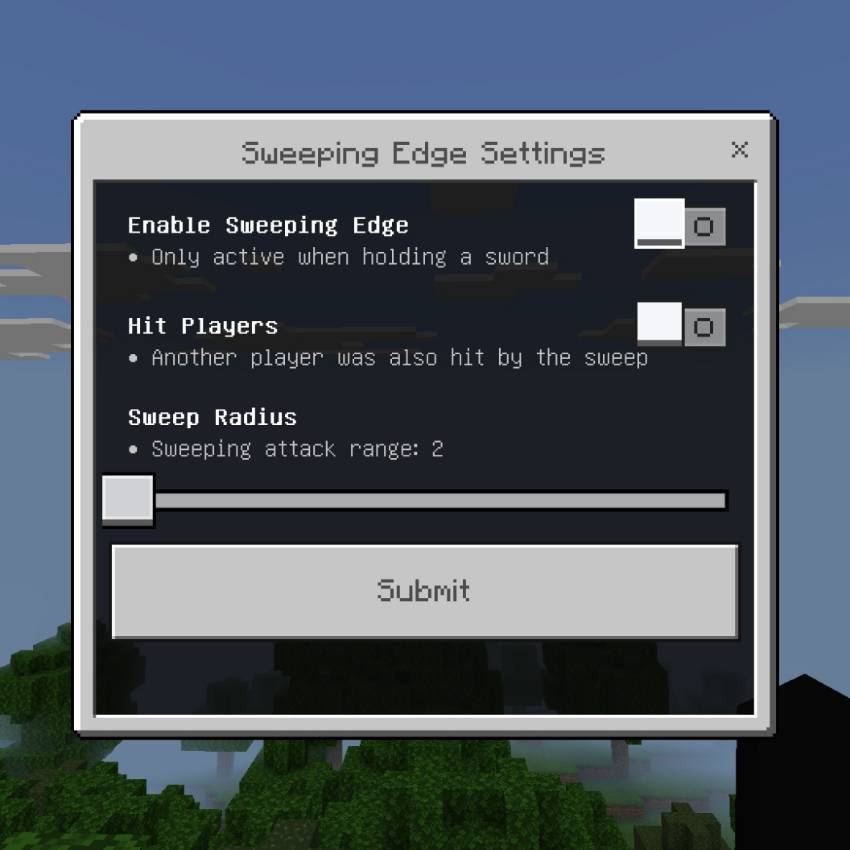
Bring the classic Java Edition Sweeping Edge mechanic to Minecraft Bedrock! Hit multiple enemies at once with every sword swing — perfect for crowd control!
True Area Damage
- Every sword swing hits all nearby mobs in range
- Works with all vanilla swords + any custom sword items
- Deals 50% of your full attack damage to every swept target
- Correctly calculates extra damage from Strength effect
Customizable Sweep
- Adjust sweep radius from 2 to 5 blocks to match your playstyle
- Toggle whether other players get hit by your sweep attacks
- Respects Knockback enchantment for consistent push force
- Skips armor stands, items, XP orbs, and other non‑living entities automatically
Balanced & Compatible
- Only activates when you are holding a sword
- Fully compatible with all enchantments, potions, and combat mechanics
- No cheats or experimental settings required
- Works seamlessly in survival, multiplayer, and with all Xentium Utilities modules
Clear out groups of zombies, swarms of creepers, or whole raids in a single swing! 🗡️💥🔥
Sword Blocking v1.4.5
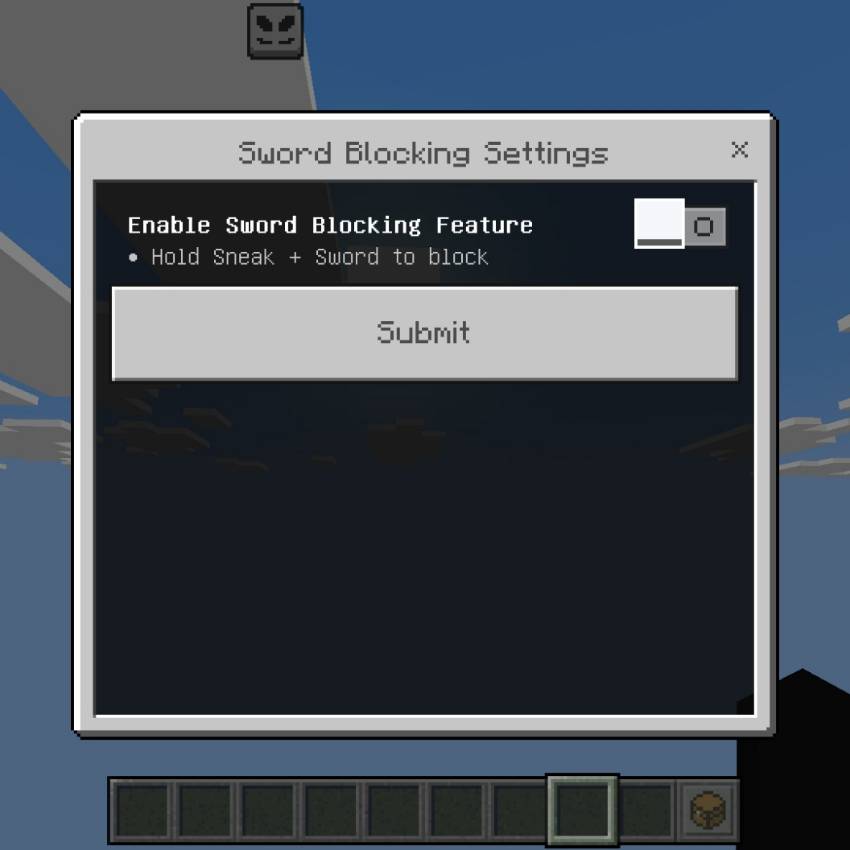

Bring the classic Java Edition sword‑block mechanic to Bedrock! Hold sneak while holding a sword to block incoming attacks — no shield required!
Intuitive Blocking
- Activate: Hold Sneak + any Sword — works only when no shield is in your offhand
- Plays authentic weapon‑block animation while active
- Two block types: Full Block (70% chance → only 10% damage taken) and Partial Block (60% damage taken)
- Correctly blocks attacks only coming from the front — back hits bypass blocking
Balanced & Durable
- Uses sword durability when blocking — prevents infinite defense
- Applies proper knockback reduction when you successfully block
- Distinct sound effects for full vs partial blocks
- Works with all vanilla swords and custom sword items
Safe & Compatible
- Fully compatible with shields — blocking only activates when no shield is equipped
- Preserves all vanilla combat mechanics
- Achievement‑friendly — no cheats or experimental flags needed
- Seamless part of Xentium Utilities
Defend yourself and keep fighting — perfect for close‑quarters combat! 🛡️⚔️🛡️
System RPG v1.2.1
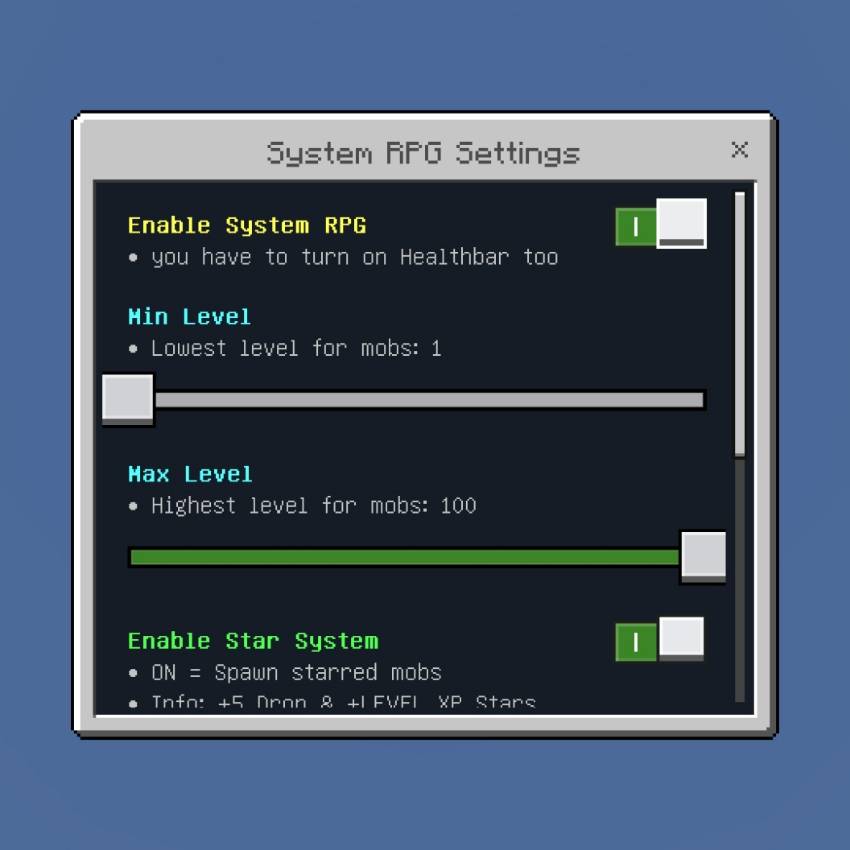
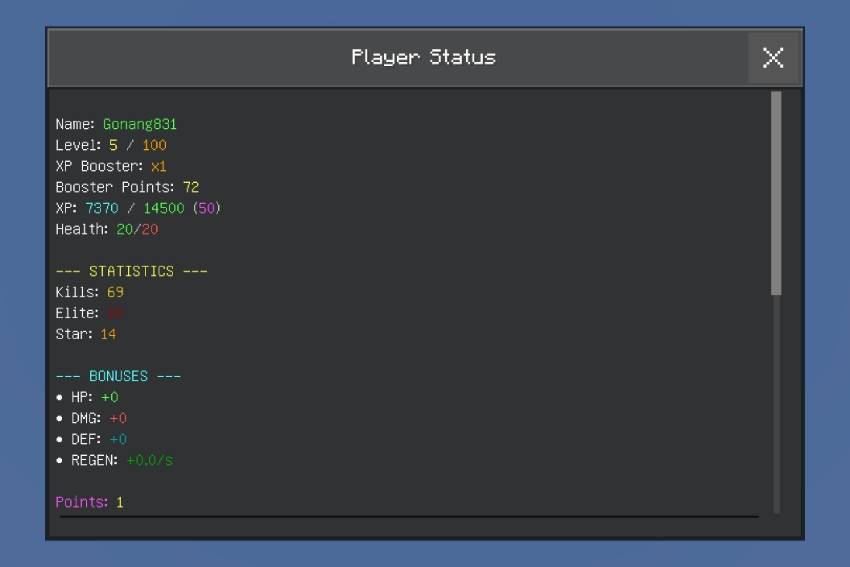
Turn your world into an epic RPG adventure! Mobs get levels, ranks, stars, and you can level up, upgrade stats, and become stronger!
How it Works:
- Every mob spawns with a random Level and Rank.
- Higher level mobs have more HP, faster speed, and stronger attacks!
- Kill them to earn XP, level up yourself, and collect awesome loot!
Mob Level System
- Mobs spawn with levels from 1 to 100.
- Each level increases Health, Speed, and Damage.
- Beautiful name tags showing Level, Stars, and Rank.
Stars System
- Chance to spawn special Starred Mobs (⭐ to ⭐⭐⭐⭐⭐).
- Starred mobs are much stronger but give Bonus XP and Better Loot.
- Higher stars = More rewards!
Rank System
- Mobs have ranks like Newbie, Warrior, Elite, Legend, God, and more!
- Ranks change color and show how dangerous they are.
Player Progression
- Gain XP and level up from 1 to 100.
- Every 5 levels you get Stat Points.
- Spend points to upgrade:
- Vitality: Increase Max Health.
- Regeneration: Heal over time.
- Strength: Increase Attack Damage.
- Defense: Reduce damage taken.
XP Booster
- Collect points by killing high star mobs.
- Upgrade your booster up to x10!
- Gain XP super fast!
Death Penalty
- Be careful! If you die, you lose 1 Level and all your XP progress!
Special Abilities
- At certain levels, you gain special effects when hitting enemies:
- Poison, Weakness, Slowness, Wither, and more!
- Higher level = Stronger effects!
Loot & Enchants
- Mobs have chance to drop enchanted books when killed.
- Higher level and stars = Better enchantment chance!
Customizable Settings:
- Set Min & Max Level for mobs.
- Turn Star System ON/OFF and adjust spawn rate.
- Choose if you want ALL mobs to have levels or just specific ones.
Become the strongest player and conquer the world! ⚔️🔥👑✨
Teleport System v1.2.5
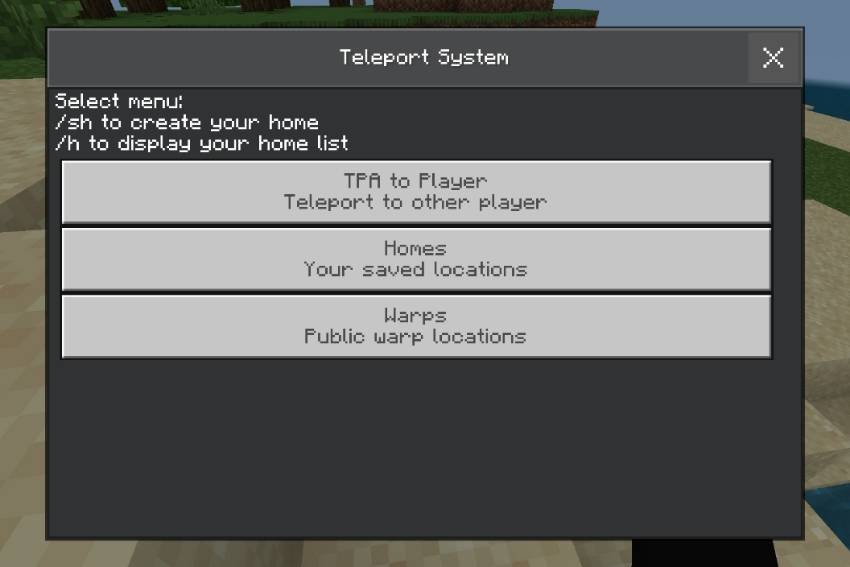
Complete teleportation solution! Manage your homes, teleport to friends with TPA system, and use public warps easily!
Home System
- Save unlimited locations as your personal Homes (limit adjustable).
- Teleport back to them anytime with just one click.
- View coordinates and dimension clearly.
- Delete homes you don't need anymore.
- Homes are sorted by most used!
TPA System
- Send teleport requests to other players.
- Wait for them to Accept or Decline.
- 5 seconds countdown before teleporting.
- Privacy Mode: Option to block TPA requests completely so you won't get disturbed!
Warp System
- Access public warps saved in Lodestones.
- Instant travel to important places around the world!
Settings & Config:
- Turn ON/OFF the entire system.
- Set Max Homes limit from 1 to 30.
- Toggle Block TPA mode for privacy.
- Easy commands: /sh to set home, /h to open home list!
How to Use:
- Open Main Menu to access TPA, Homes, and Warps.
- Sneak + Click or use commands to navigate.
- Smooth countdown animation and sounds!
Travel anywhere instantly and safely! ⚡🌍✨
Totem Stacker v1.3.0
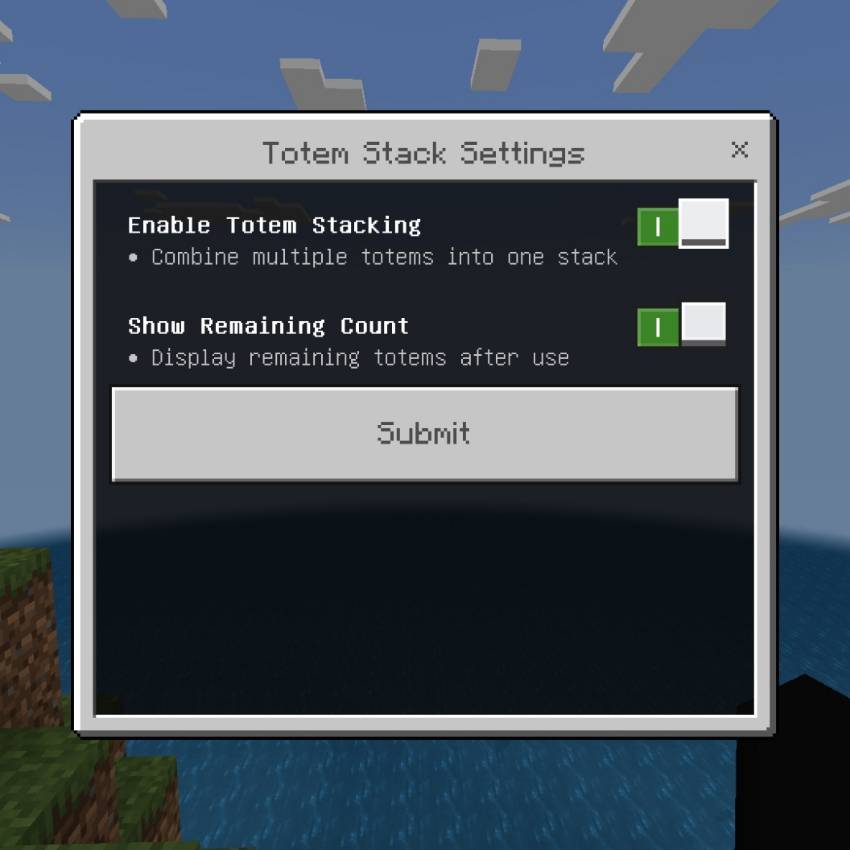
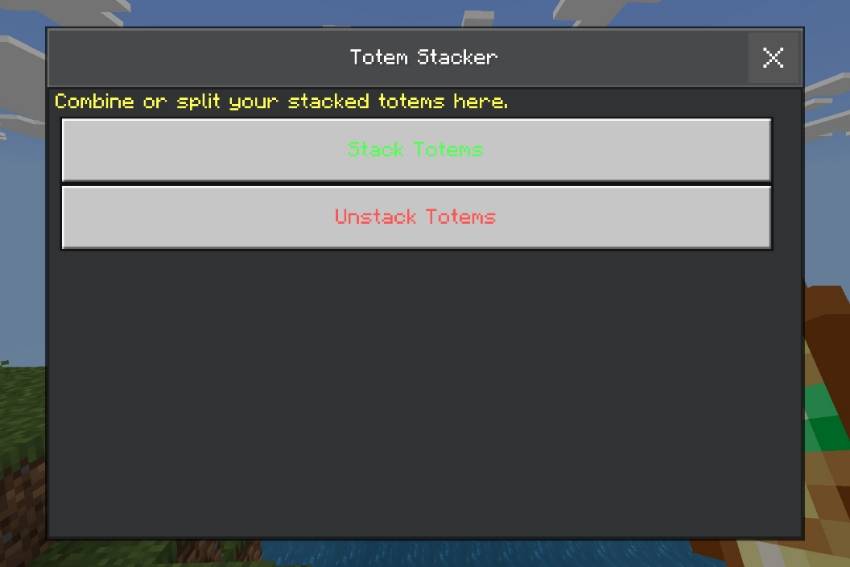
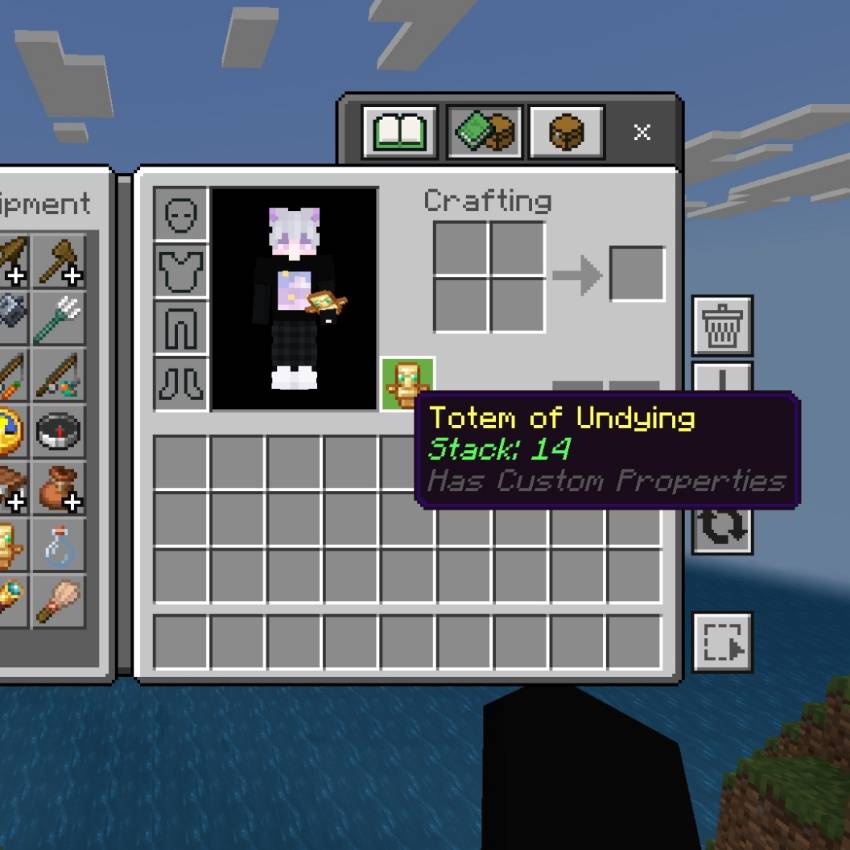
Never run out of life saves! Combine multiple Totems of Undying into one single stack!
Stack Unlimited Totems
- Turn all your totems into one compact stack
- Carry dozens of totems without taking extra inventory slots
- Works perfectly in both Main Hand and Offhand
Smart Auto‑Consume
- Automatically uses next totem instantly when you die
- No need to re‑equip manually
- Keeps saving your life until stack runs out
Full Control
- Stack All: Combine every totem in your inventory at once
- Unstack: Split any amount back into individual totems
- Tap while holding totem to open the management menu
Clear Info
- Shows remaining totem count after every use
- Stack amount displayed clearly in item lore
- Optional toggle for status messages
Simple Settings
- - Enable or disable the whole system anytime
- - Turn remaining count notifications on/off
- - Fully compatible with vanilla totem mechanics
Stay protected through any danger — one stack saves you many times! 🛡️✨🔥
Tree Capitator
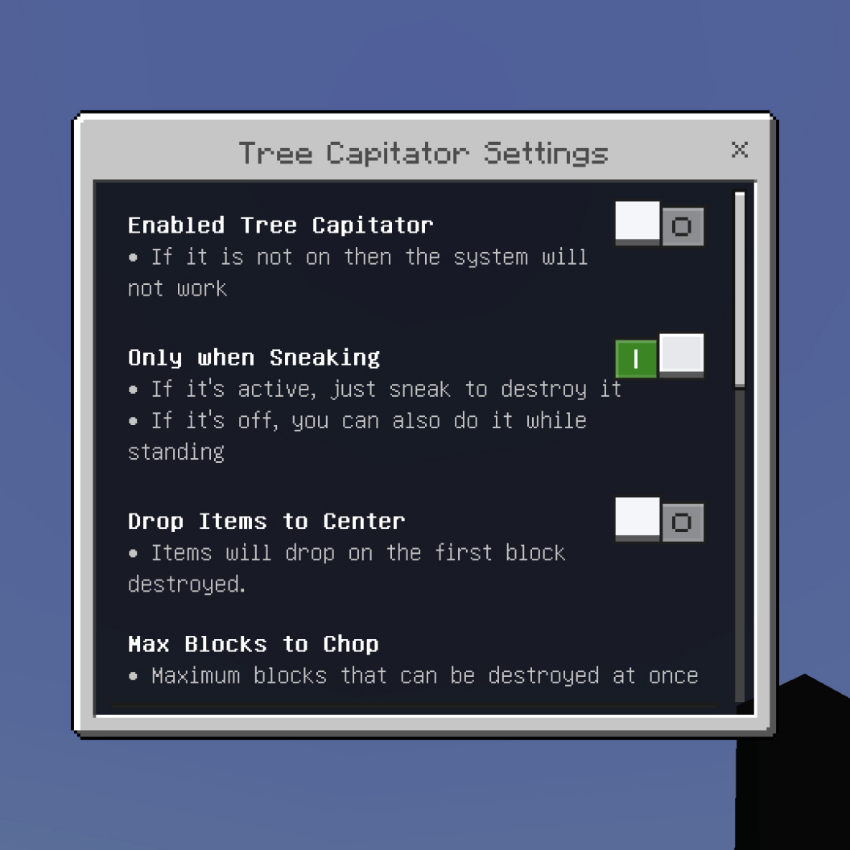
Chop down entire trees instantly with just one hit! Cuts all the logs, removes the leaves automatically, and can even replant new trees for you.
Instant Tree Cutting:
- Break the bottom log, and the whole tree collapses immediately.
- Works with all wood types: Oak, Spruce, Birch, Jungle, Acacia, Dark Oak, Mangrove, Cherry, Pale Oak, Crimson, and Warped.
- Supports Mangrove Roots too!
Fast Leaf Decay:
- Leaves disappear automatically and quickly after you cut the tree, keeping the area clean. You can set the radius range up to 30 blocks!
Auto Replant:
- Automatically plants a sapling (or fungus) right where you cut the tree. For big trees like Jungle or Dark Oak, it even plants 4 saplings at once!
Smart Item Collection:
- Option to make all items drop in one single spot at the base of the tree, making collection super easy.
- Fully supports enchantments like Silk Touch and Fortune.
Durability System:
- Axe loses durability realistically, including Unbreaking enchantment calculation. Can be turned off in settings if you want infinite uses.
Flexible Settings:
- Enable/Disable whenever you want.
- Choose to work Only when Sneaking or always active.
- Set Max Blocks limit to prevent lag or excessive breaking.
The ultimate lumberjack tool! ⚡🌳�
Vein Miner New Update v1.1.1
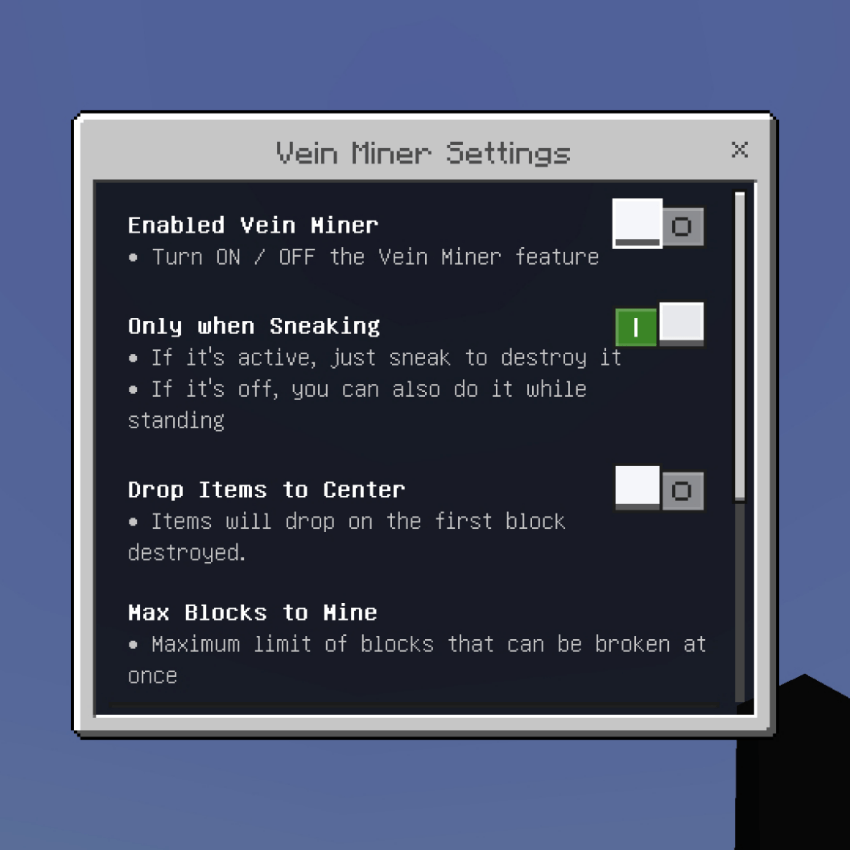
Mine entire veins of ore instantly! Break one block, and every connected ore of the same type will break automatically. Perfect for mining Coal, Iron, Gold, Diamond, Emerald, Copper, Ancient Debris, and more!
Instant Vein Mining:
- Automatically detects and breaks all connected blocks of the same ore type.
- Works with normal ores, Deepslate variants, and even Ancient Debris!
- Smart detection so it only breaks the same kind of ore.
Tool Requirement System:
- Realistic mining mechanics! You cannot break blocks with tools that are too weak.
- Example: Can't mine Diamond with Stone Pickaxe, can't mine Ancient Debris with anything less than Diamond.
Enchantment Support:
- Fully works with Silk Touch (gets the raw ore block).
- Fully works with Fortune (gets extra drops).
- XP orbs drop naturally.
Smart Item Collection:
- Option to make all items and XP drop in one single spot right where you broke the first block. Super easy to collect!
Durability System:
- Pickaxe loses durability realistically.
- Calculates Unbreaking enchantment chance properly.
- Can be turned off in settings if you want infinite uses.
Flexible Settings:
- Enable/Disable whenever you want.
- Choose to work Only when Sneaking or always active.
- Set Max Blocks limit to prevent lag or excessive breaking.
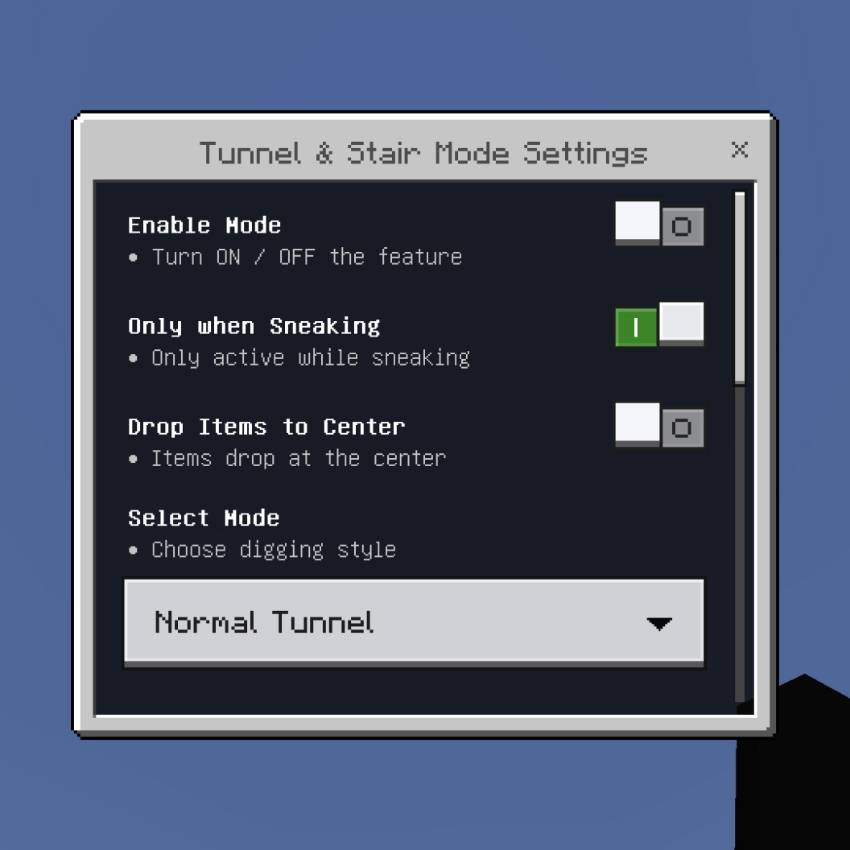
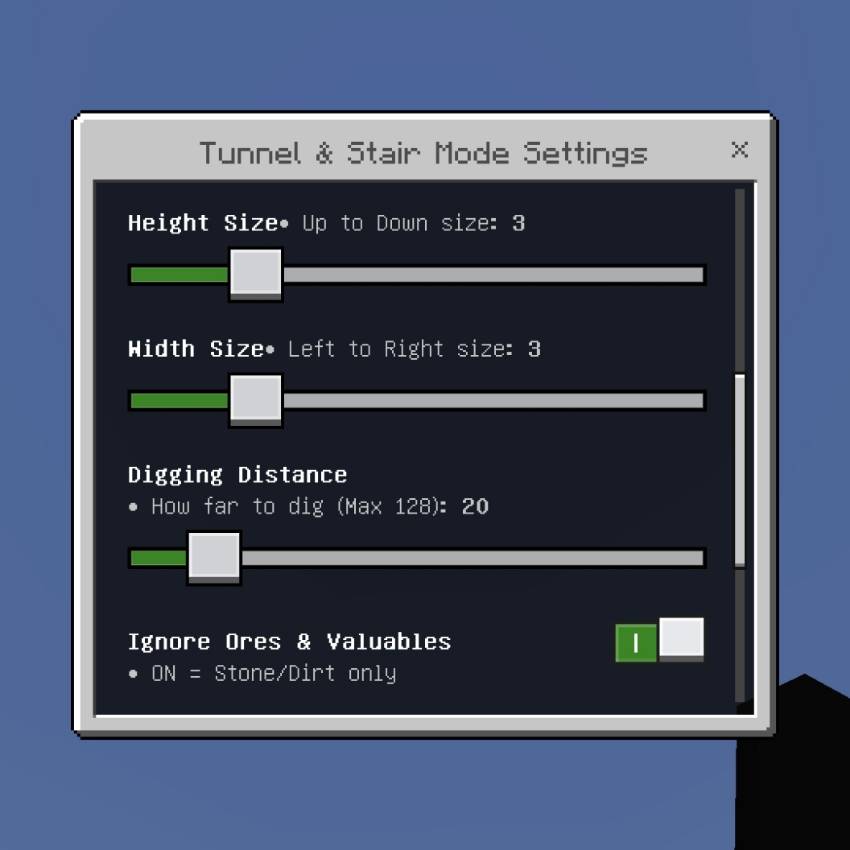
NEW FEATURE: Tunnel & Stair Mode!
Now you can dig long tunnels or stairs automatically with just one click!
3 Digging Modes:
- Normal Tunnel: Digs straight forward in a perfect rectangle shape.
- Stair Up: Automatically creates stairs going upwards.
- Stair Down: Automatically creates stairs going downwards.
Fully Customizable:
- Width & Height: Adjust tunnel size from 1x1 up to 10x10!
- Dig Distance: Set how far it will dig (up to 64 blocks!).
- Ignore Ores: Option to skip valuable minerals so you don't accidentally mine them.
- Same Block Only: Only break blocks that are exactly the same type as the first one.
- Drop to Center: All items drop in one place for easy collection.
- Progress Counter: Shows how many blocks destroyed out of total.
Flexible Settings:
For Vein Miner:
- Enable/Disable whenever you want.
- Choose to work Only when Sneaking or always active.
- Set Max Blocks limit to prevent lag.
- Toggle Show Count display.
For Tunnel Mode:
- Enable/Disable the feature.
- Choose mode: Tunnel, Stair Up, or Stair Down.
- Adjust Width, Height, and Distance.
- Toggle "Ignore Ores" and "Same Block Only".
Mine like a pro and save so much time! ⛏️💎🚄
Everything is fully configurable inside the game. You can turn features ON or OFF and adjust settings easily without editing files.
⚙️ Compatibility
- ✅ Works with the latest and past versions of Minecraft Bedrock Edition
- ✅ No experimental toggles required
- ✅ Achievements remain enabled
- ✅ Fully compatible with structure, biome, and tree addons
- ✅ Works in Survival, Creative, and Multiplayer
📥 Installation Guide
- Download the Addon File:
- If the file has the
.mcpack/.mcaddonextension → open it directly with Minecraft - If it’s a
.zipfile → rename it to.mcpack/.mcaddonthen open it
- If the file has the
- Activate the Packs:
- Enable both the Behavior Pack in your world settings
- No experimental options are needed
Supported Versions
- Minecraft Bedrock Edition 1.21.70+
- Latest Version Compatible
- Works on Mobile, Windows 10/11, and Consoles
- Realms & Server Friendly
©️ Copyright & Terms of Use
⚠️ IMPORTANT NOTICE:
- ALL RIGHTS RESERVED © VinzzLynMC
- ❌ STRICTLY PROHIBITED to re-upload, repost, or share this addon or its scripts on any platform (including but not limited to MCPEDL, YouTube, Mediafire, etc.) without my EXPLICIT PERMISSION.
- ❌ Do NOT claim this work as your own.
- ❌ Do NOT edit, modify, or steal the code/scripts.
- ✅ If you want to share it with friends, please ONLY SHARE THE ORIGINAL CURSEFORGE LINK:
- https://www.curseforge.com/minecraft-bedrock/addons/xentium-utilities-achievement-friendly
Thank you for respecting my work and effort! ❤️
Created by VinzzLynMC
---
